
Looking for the best car audio installation in Montclair, CA? Discover expert tips, top brands, and why Audio Vision is the go-to destination for high-quality car sound systems.
Product Brand: Audio Vision
Product Currency: USD
Product Price: 299
Product In-Stock: InStock
Jensen car stereos are worth considering if your factory radio is outdated, your Bluetooth connection has stopped working, or you want Apple CarPlay and Android Auto without shopping exclusively for high-end receivers. Jensen offers everything from simple single-DIN Bluetooth radios to large touchscreen units with wireless smartphone connectivity, camera inputs, and amplifier connections.
But are Jensen head units actually worth installing?
The answer depends on which model you choose and what you expect from it.
A small Bluetooth receiver may be perfectly suitable for an older commuter car. A 7-inch touchscreen may make more sense if you want phone-based navigation and a backup camera display. If your dashboard allows it, an adjustable 8-inch or 10.1-inch screen could be another option.
Still, buying a stereo based only on its screen size or advertised wattage can lead to disappointment.
You also need to consider dashboard fitment, factory amplifier connections, steering wheel controls, sound adjustment features, and the quality of the installation.
At Audio Vision, we’ve served Inland Empire vehicle owners since 2006. Our shop in Montclair, CA features Jensen car audio products and offers professional car stereo installation.
Whether you’re in Montclair, CA, Ontario, CA, Rancho Cucamonga, CA, or another nearby community, this guide compares Jensen receivers, explains which features matter, and helps you decide whether one belongs in your dashboard.
Yes, certain Jensen receivers are worth considering when you want a practical stereo upgrade with features you’ll actually use.
The best fit depends on your vehicle, your phone, your speakers, and what you want the radio to do.
Jensen produces several types of head units.
Some concentrate on Bluetooth calling, radio reception, and USB music playback. Others provide touchscreen controls and compatible smartphone functions.
Start with what your original radio is missing.
Maybe you want:
A suitable Jensen model may provide several of these functions.
But not every Jensen receiver offers them all.
A large screen looks impressive on a product page.
That doesn’t tell you whether it will fit your dashboard or retain the factory equipment you use.
Similarly, a receiver with an advertised high peak-wattage figure isn’t automatically going to sound better than another model.
The better approach is to compare the exact specifications and installation requirements.
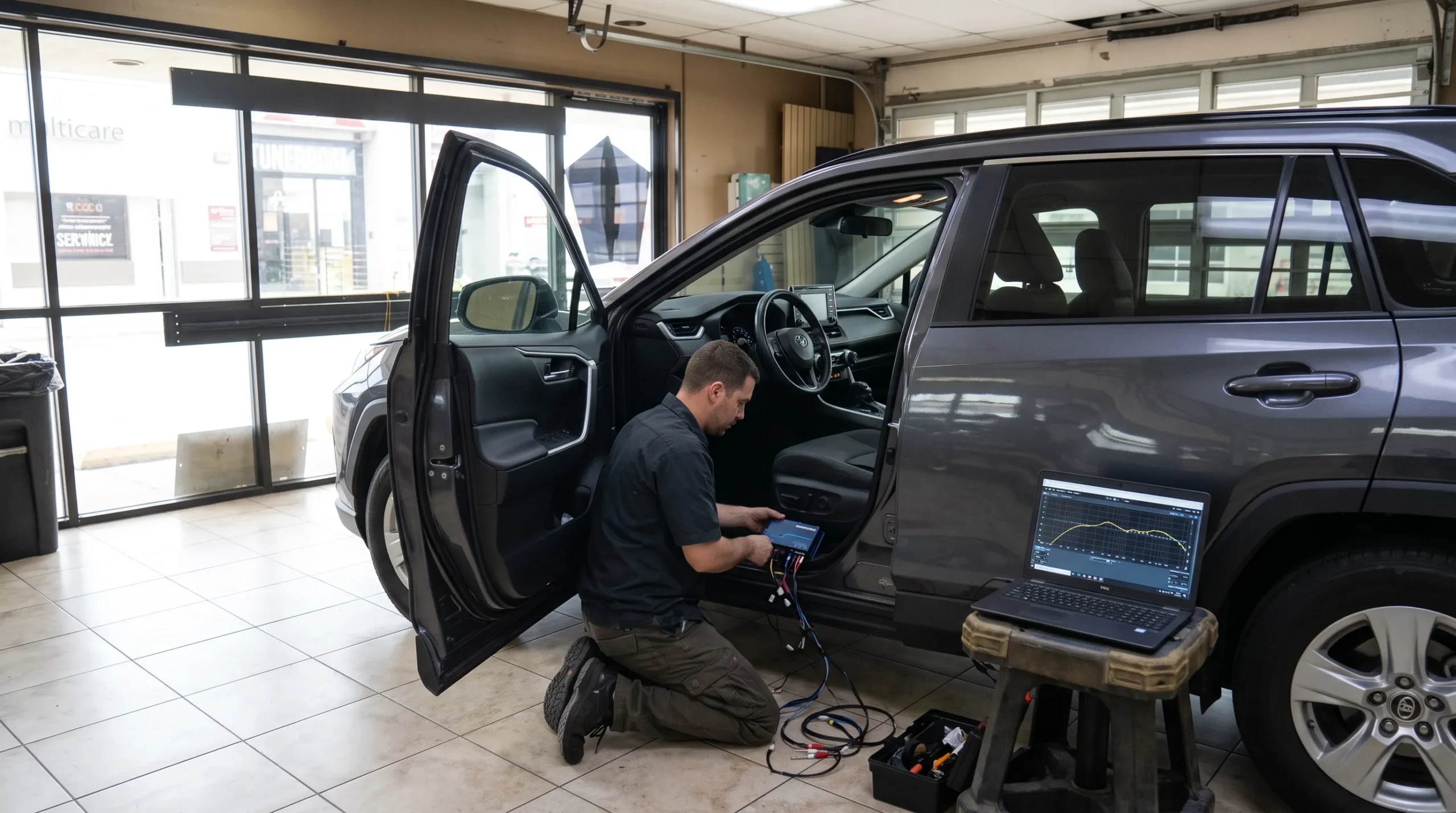
Audio Vision’s Jensen brand page features Jensen multimedia products and professional installation services.
Jensen has several straightforward receiver designs that focus on commonly requested functions.
You can find models without a touchscreen, receivers with wired smartphone connections, and multimedia systems with larger adjustable displays.
That variety is useful because not every vehicle owner needs the same equipment.
If your car already has a working backup camera display and you’re mainly interested in Bluetooth music, a simple receiver may be enough.
If the factory radio lacks smartphone navigation, a CarPlay or Android Auto model may make more sense.
Choosing the right feature set matters more than choosing the largest available screen.
Certain Jensen models use relatively shallow chassis designs.
This can be helpful when there’s limited room behind the dashboard.
But a slim chassis doesn’t guarantee fitment.
The surrounding mounting kit, wiring, screen position, and factory components still need checking.
Several Jensen multimedia receivers include RCA preamplifier outputs.
Those connections can be used with compatible aftermarket amplifiers.
If you want to add a subwoofer later, checking for the correct output connections before installation is a good idea.
Compared with some more specialized receivers, a particular Jensen model may offer fewer sound-processing controls, fewer inputs, or a different type of display.
You may also find that an advanced factory audio system needs additional equipment to retain its original features.
Those limitations don’t make Jensen unsuitable.
They mean you should choose based on your vehicle and the work you want completed.
Jensen’s official product catalog includes several receivers suited to different projects.
The following models illustrate the range.
| Jensen model | Screen or display | Phone connectivity | Best use to consider |
|---|---|---|---|
| MPR2110 | Small text display | Bluetooth | Simple radio replacement |
| CDX3119 | Small text display | Bluetooth | Keeping CD playback |
| J1CA7 | 7-inch touchscreen | Wired CarPlay and Android Auto | Straightforward smartphone upgrade |
| CAR723W | 7-inch touchscreen | Wired and wireless CarPlay and Android Auto | Full-featured double-DIN multimedia |
| CAR813 | 8-inch adjustable touchscreen | Wired and wireless CarPlay and Android Auto | Larger screen with flexible mounting |
| CAR1013-M | 10.1-inch adjustable touchscreen | Wired and wireless CarPlay and Android Auto | Large-display multimedia installation |
Sources: Jensen MPR2110, CDX3119, J1CA7, CAR723W, CAR813, and CAR1013-M.
These are manufacturer-listed models, not a guarantee that each is currently in stock at Audio Vision.
Want Bluetooth without a touchscreen?
Start by comparing a single-DIN receiver.
Want Apple CarPlay but don’t need wireless pairing?
Check a compatible wired model.
Want wireless phone connections and camera inputs?
Compare the CAR723W or a suitable larger-screen option.
The right model is the one that fits your dashboard and has the features you need.
The Jensen MPR2110 is a single-DIN digital media receiver.
It doesn’t have a large touchscreen.
Instead, it provides a compact radio with Bluetooth connectivity and traditional audio controls.
Jensen lists:
The receiver does not include a CD player.
It also does not offer Apple CarPlay or Android Auto.
The MPR2110 may suit an older car with a simple radio opening when the owner wants Bluetooth calling and music without a touchscreen.
It could also make sense for someone who prefers traditional controls.
The MPR2110 is designed for single-DIN applications.
You’ll still need to confirm dashboard fitment, wiring compatibility, and the equipment required for your vehicle.
If you want on-screen maps or a backup camera image, this is not the type of receiver to choose.
Not everyone has stopped using CDs.
If you have a collection of albums you still enjoy, a receiver with a disc player may be worth considering.
The Jensen CDX3119 combines traditional CD playback with Bluetooth functions.
Jensen lists:
It is intended for compatible vehicles with enough mounting depth.
The CDX3119 may appeal to someone who wants to keep using physical discs while adding Bluetooth.
It’s a practical reminder that a newer radio doesn’t have to replace every older way of listening to music.
You don’t get a touchscreen, Apple CarPlay, or Android Auto.
If smartphone navigation is one of your main goals, consider a multimedia receiver instead.
The Jensen J1CA7 is a 7-inch double-DIN multimedia receiver.
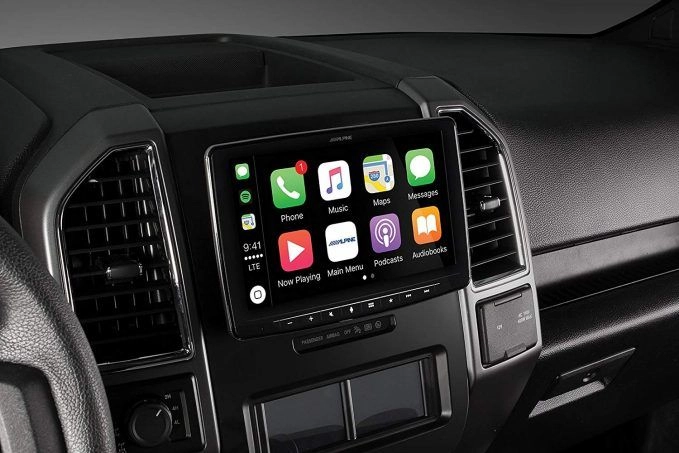
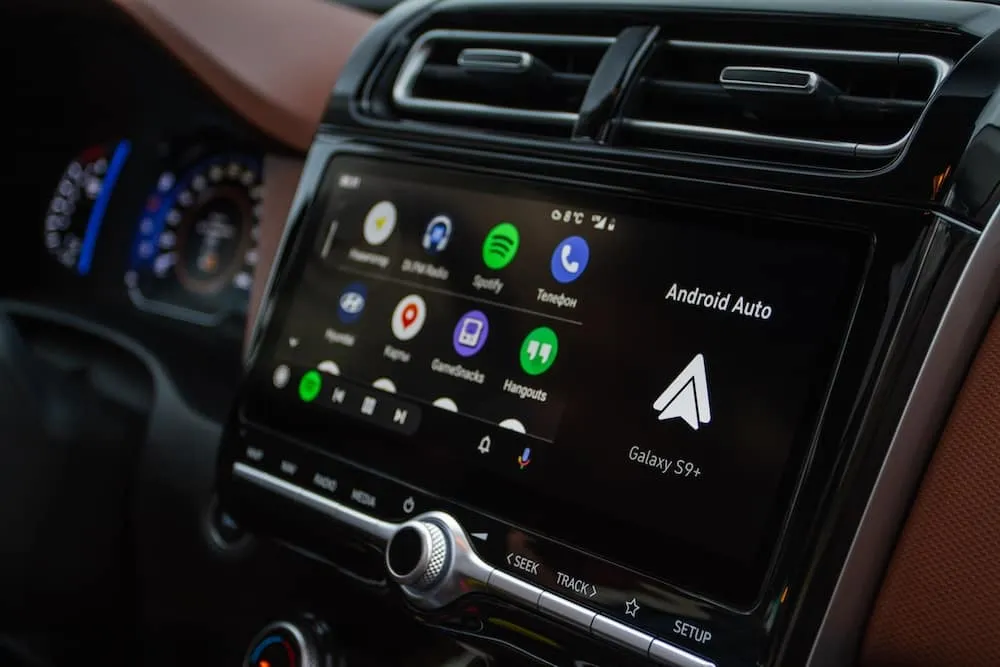
It offers wired Apple CarPlay and Android Auto connections for compatible phones.
This can make it worth considering for someone who wants smartphone functions on the dashboard without needing wireless pairing.
The manufacturer lists:
These features cover several functions that vehicle owners look for when replacing an older radio.
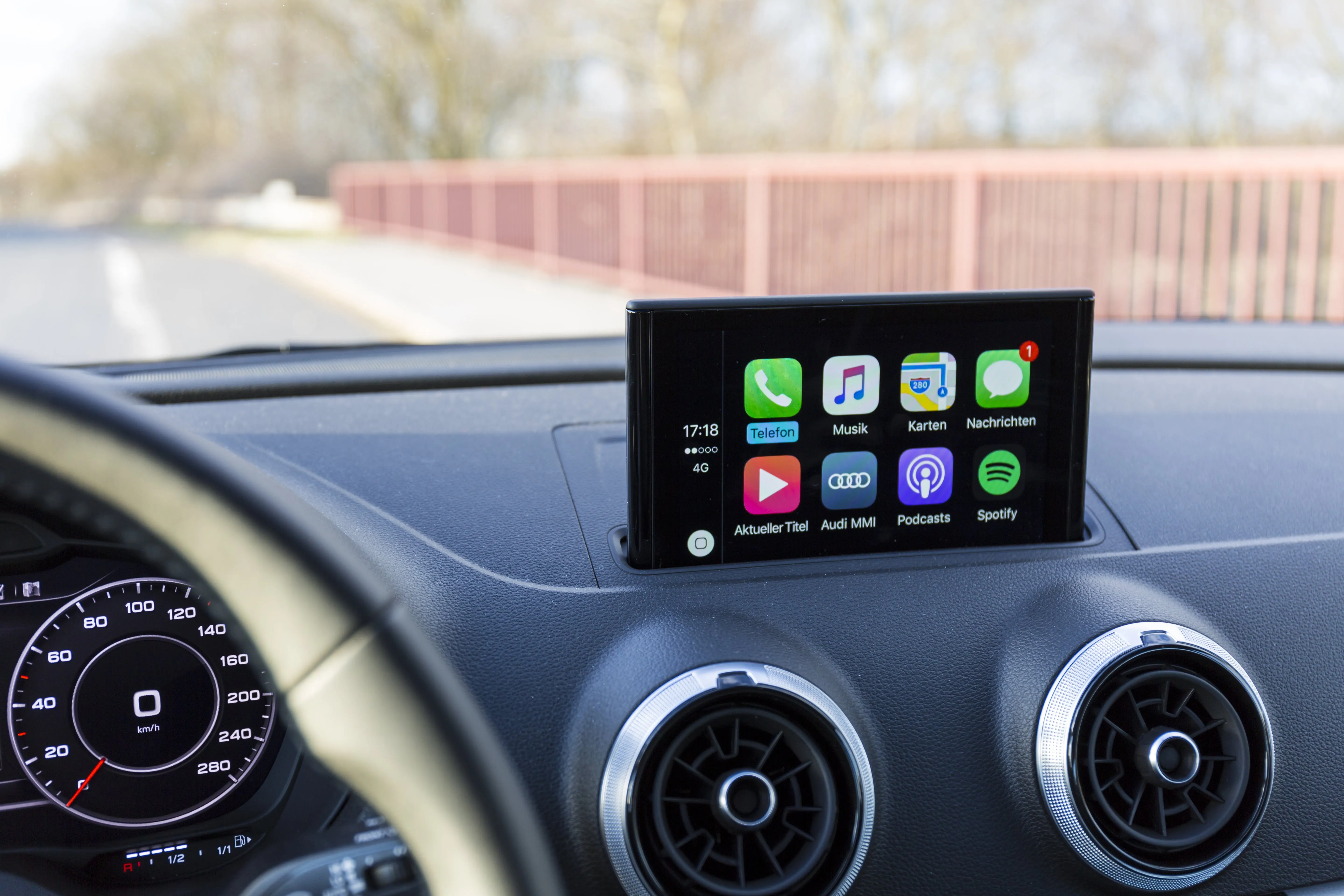
You connect a compatible iPhone to the supported USB connection.
CarPlay then displays supported phone functions through the receiver.
Android Auto works similarly with a compatible Android phone.
A wired connection may suit you if you already connect your phone to charge it.
It also avoids relying on wireless pairing for smartphone projection.
But a wired model isn’t ideal for someone who wants CarPlay to connect automatically while the phone stays in a bag or pocket.
Ask Audio Vision about Apple CarPlay installation or Android Auto installation if you’re comparing these features.
For many customers comparing Jensen car stereos, the CAR723W is one of the more interesting models.
It combines a conventional 7-inch double-DIN touchscreen format with both wired and wireless smartphone connectivity.
Jensen lists:
Some older vehicles have no backup camera.
Others already have a factory camera that may be retained through compatible equipment.
The CAR723W includes camera inputs that can be useful during a multimedia upgrade.
However, a camera input doesn’t mean every factory camera can connect without an adapter.
For many vehicles, yes.
A 7-inch display can provide space for compatible maps, audio controls, and camera views.
It’s also worth considering when a larger floating screen would interfere with dashboard controls or interior trim.
The best screen size depends on where it sits and how easily you can see it from the normal seating position.
Some vehicle owners want a bigger display than a conventional 7-inch receiver.
Jensen offers models with adjustable screens that fit supported dashboard arrangements.
The Jensen CAR813 features an 8-inch screen.
The manufacturer lists compatibility with single-DIN and double-DIN mounting arrangements using the appropriate installation hardware.
The model includes:
That flexible screen positioning may help certain dashboards.
But the installer still needs to check physical clearance.
The Jensen CAR1013-M uses a larger 10.1-inch adjustable touchscreen.
Jensen lists wireless and wired CarPlay and Android Auto, Bluetooth, front and rear camera inputs, and several audio adjustments.
The model is designed for compatible single-DIN or double-DIN mounting arrangements.
A large screen may improve readability in some vehicles.
But it can also extend over climate controls, air vents, dashboard buttons, or storage compartments.
A screen that physically attaches to the radio opening may still interfere with normal vehicle operation.
Before choosing an 8-inch or 10.1-inch model, ask the installer to check the screen’s full range of adjustment.
This is one of the biggest decisions when comparing touchscreen head units.
Both wired and wireless systems provide access to supported smartphone features.
The difference is how the phone connects.
With wired CarPlay, a compatible iPhone connects through the receiver’s designated USB port.
You can access supported phone functions through the stereo display.
Apple describes CarPlay features such as navigation, calls, music, and messaging on its official CarPlay page.
With wireless CarPlay, a compatible phone and receiver connect through supported wireless technology.
That means you may not need to plug the phone into the dashboard during every trip.
However, the phone still needs sufficient battery power.
Android Auto also offers phone-based navigation, audio, calling, and messaging through compatible receivers.
The phone and stereo must support the connection method you’re using.
Not necessarily.
Connection type alone doesn’t determine sound quality.
The receiver, audio source, speakers, amplifiers, and signal processing also matter.
If your biggest concern is how the music sounds, don’t choose a wireless model solely because you expect better audio.
If you want automatic smartphone pairing, consider a model with supported wireless connectivity.
If plugging in your phone is already part of your routine, a wired receiver may meet your needs.
A Jensen receiver can be a useful foundation for a factory stereo replacement.
But it’s important to understand what the audio specifications actually mean.
Several Jensen receivers advertise peak power figures such as 240 watts.
Peak power describes short-duration output, not necessarily continuous power delivered during normal listening.
According to Crutchfield’s Car Stereo Glossary, RMS power is generally more useful when comparing amplifier output.
Don’t assume a receiver advertised at 60 watts per channel peak delivers 60 watts per channel continuously.
It may.
A compatible aftermarket receiver can offer different equalizer settings, audio outputs, or processing functions from an older factory radio.
But replacing the radio won’t automatically fix damaged speakers, poor wiring, or an unsuitable amplifier setup.
The results depend on the complete system.
Some Jensen multimedia units offer multi-band equalizers.
These allow you to adjust selected frequency ranges.
A thoughtful adjustment can help you make the sound more comfortable for your preferences.
Turning every frequency all the way up isn’t a good approach.
Selected Jensen receivers include time-alignment functions.
These can help account for differences in the distance between speakers and a chosen listening position.
The feature needs appropriate setup to be useful.
It’s worth asking whether your selected Jensen model supports it.
Yes, many Jensen receivers provide connections for additional audio equipment.
The exact options depend on the model.
A compatible receiver with RCA preamp outputs can connect to a suitable aftermarket amplifier.
Some Jensen multimedia models provide front, rear, and subwoofer outputs.
Audio Vision offers car amplifier installation for customers planning an audio upgrade.
If the original speakers are worn or distorted, replacing them may be worth discussing alongside the stereo.
A new receiver won’t repair a physically damaged speaker.
Audio Vision also provides car speaker installation.
A subwoofer can add low-frequency sound that small factory speakers may struggle to reproduce.
Certain Jensen multimedia receivers include a dedicated subwoofer preamp output and crossover settings.
A suitable external amplifier may still be needed, depending on the system.
Learn more about car subwoofer installation at Audio Vision.
Even if you aren’t installing an amplifier or subwoofer right now, tell the installer if you may add one later.
Choosing a head unit with suitable audio outputs can make that future project easier.
Many Jensen touchscreen receivers include a rear camera input.
Some models also offer a front camera input.
This can be useful when replacing a factory stereo or adding a camera to an older car.
A compatible camera sends video to the receiver through its supported connection.
The stereo also needs the correct signal to display the image when reverse is selected.
Camera mounting, power, video format, and wiring all matter.
Sometimes.
A factory backup camera may need a compatible adapter to work with a replacement stereo.
The installer should confirm whether the original camera can be retained.
Don’t assume every Jensen model connects to every factory camera without additional equipment.
Not when the selected touchscreen receiver supports a suitable camera input.
The stereo display can serve as the monitor.
Audio Vision provides backup camera installation for compatible vehicles.
Rearview cameras can help reveal areas behind a vehicle, but the lens has limits.
Always check your mirrors and surroundings when reversing.
Fitment is one of the first things a professional installer should check.
A head unit can have all the features you want and still be unsuitable for your particular dashboard.
Single-DIN and double-DIN describe common car radio mounting formats.
A single-DIN receiver is usually shorter.
A double-DIN receiver uses a taller opening.
Some Jensen models are made for one format.
Certain larger-screen models use mounting arrangements that may fit either format with appropriate hardware.
An adjustable display may extend above or around the receiver’s mounting position.
That can create clearance problems with other dashboard parts.
Ask whether the screen blocks:
No.
Some modern vehicles use factory screens connected to climate controls, vehicle settings, warning sounds, and other electronics.
Replacing those systems may require a specialized interface.
Certain vehicles may not offer a practical replacement option.
Crutchfield’s Car Stereo Installation Gear Guide explains why the proper dash kit and vehicle-specific wiring connections matter.
Before choosing a Jensen receiver, have the vehicle checked.
Many Jensen multimedia receivers list steering wheel control compatibility.
But compatibility doesn’t mean the controls connect automatically.
On several Jensen models, retaining the original steering wheel audio controls requires a separate compatible adapter.
That adapter must also work with your vehicle.
Certain cars use an amplifier that’s connected to the original stereo.
A replacement Jensen receiver may need a suitable interface to work with the factory audio system.
Some installations can retain the original amplifier.
Others may need a different solution.
In some vehicles, warning tones and other sounds pass through the audio system.
Removing the factory radio without planning for these functions can create problems.
Factory cameras, antenna systems, USB ports, and vehicle settings may also need compatible interfaces.
When visiting Audio Vision, tell the team which factory features you want to keep.
A successful stereo installation is about more than getting sound from the speakers.
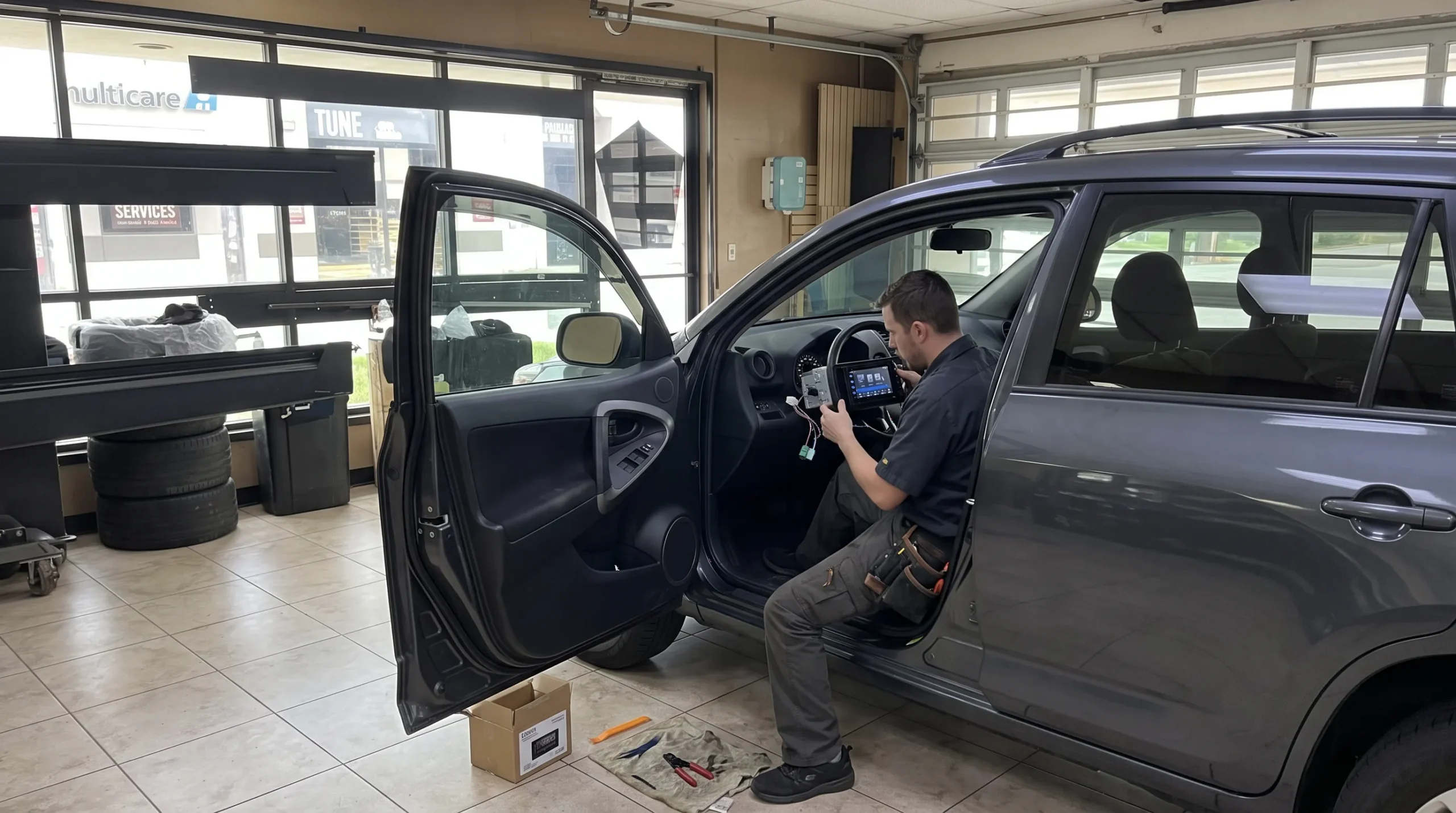
Professional installation starts with confirming that the head unit works with the vehicle.
Here’s how the process generally works.
The technician checks your vehicle’s year, make, model, trim, and original audio equipment.
The Jensen model is also checked for fitment and compatibility.
Some vehicles need a dash kit, wiring harness, antenna adapter, steering wheel control interface, or other components.
The installer should explain those requirements before work begins.
The technician removes the necessary trim and original stereo using suitable vehicle procedures.
Care matters because dashboard trim and wiring can be damaged when handled incorrectly.
The installation harness and mounting hardware are prepared for the vehicle.
If you’re installing a touchscreen, the technician also plans the microphone and USB connections.
The stereo is installed in its mounting location.
For an adjustable screen, the position should be checked so it doesn’t interfere with dashboard controls.
The technician should check the functions included in the project.
Those may include:
Before leaving, ask how to pair your phone, choose audio sources, adjust the sound, and use any connected camera.
Audio Vision offers car stereo installation in Montclair, CA and related multimedia services.
Installation time depends on the vehicle and the equipment involved.
Warranty coverage is worth checking before choosing any replacement head unit.
Jensen advertises a four-year limited warranty when eligible products are registered within 60 days of purchase on several official receiver pages.
This condition appears on the manufacturer pages for the MPR2110, J1CA7, CAR723W, CAR813, and CAR1013-M.
Don’t assume so.
Warranty coverage depends on the product, eligibility, registration, and written terms.
You should review the conditions for the exact model you select.
Some Jensen product pages specifically tie the advertised four-year limited warranty to timely registration.
Keep your purchase records and follow the manufacturer’s instructions.
A manufacturer’s product warranty is different from a shop’s workmanship warranty.
The first concerns eligible product defects.
The second concerns the work performed during installation, subject to the shop’s terms.
Audio Vision states that its car audio services include warranty coverage.
Ask for the terms that apply to both the selected receiver and the installation.
Like other car electronics, a Jensen receiver may sometimes experience a problem.
Not every symptom requires a new stereo.
Check whether the phone is paired to the correct receiver.
Old Bluetooth pairings can sometimes cause confusion when several phones have been connected.
Follow the model’s instructions for deleting and re-pairing devices.
Check the phone’s compatibility and the connection method supported by the receiver.
For a wired unit, use the designated USB connection and a suitable cable.
For a wireless model, follow the manufacturer’s pairing procedure.
A missing rear camera image may involve the camera, wiring, video format, stereo settings, or reverse-trigger connection.
Diagnosis should identify which component is responsible.
The problem could involve audio settings, wiring, a connected amplifier, or another part of the system.
A professional should check the connections before assuming the head unit has failed.
Some Jensen multimedia receivers have manufacturer firmware updates available for certain reported issues.
The CAR1013-M support page lists a model-specific update addressing an iPhone connection issue.
Firmware files are not interchangeable between Jensen models.
Only use an update intended for the exact receiver, and follow the official instructions.
If you’re experiencing intermittent sound, a frozen screen, or another issue, Audio Vision offers car audio troubleshooting and car audio repair services.
Jensen has several models that could make sense for different vehicle owners.
The better question isn’t whether the brand is good or bad.
It’s whether a particular receiver meets your expectations.
If you have a car with an older single-DIN radio, the MPR2110 or CDX3119 may deserve a look.
These receivers keep the controls relatively simple.
A compatible J1CA7 or CAR723W may suit someone who wants maps, music, and phone functions on a touchscreen.
Choose the connection method that works for you.
A Jensen multimedia receiver with a compatible camera input could be part of a camera installation.
Check the camera format and vehicle wiring.
The CAR813 and CAR1013-M may be worth researching if you want an adjustable display.
But physical dashboard clearance must be checked first.
Selected Jensen head units provide RCA outputs and sound adjustments for compatible amplifiers and subwoofers.
If your goal is an elaborate sound system with advanced processing, compare those specifications carefully with other available receiver options.
You don’t need the most feature-packed model if the simpler one does everything you want.
Audio Vision features Jensen car audio products and provides professional stereo installation from its shop in Montclair, CA.
We’ve served local vehicle owners since 2006.
Our physical location is 5521 Holt Blvd, Montclair, CA 91763.
Customers in Montclair, CA can contact Audio Vision about replacing an old radio, adding a touchscreen receiver, or discussing factory stereo compatibility.
Our Jensen brand page includes information about Jensen multimedia products.
Vehicle owners from Ontario, CA can visit Audio Vision’s Montclair shop.
If you’re interested in CarPlay or Android Auto, share your vehicle details and explain whether you prefer wired or wireless connectivity.
Customers from Rancho Cucamonga, CA can contact our team about touchscreen stereo installations.
If you have an existing factory amplifier, camera, or steering wheel controls, mention those features.
Audio Vision also welcomes customers from Pomona, CA and Claremont, CA.
Whether you’re replacing a simple radio or planning a larger multimedia project, contact the shop about compatible equipment.
Vehicle owners from Chino, CA, Chino Hills, CA, and Upland, CA can also visit our Montclair location.
We serve customers from Fontana, CA and other nearby Inland Empire communities as well.
Call ahead to confirm current Jensen model availability and installation scheduling.
Before purchasing a receiver, use this checklist.
It can help you avoid choosing a stereo that doesn’t match your vehicle or the features you want.
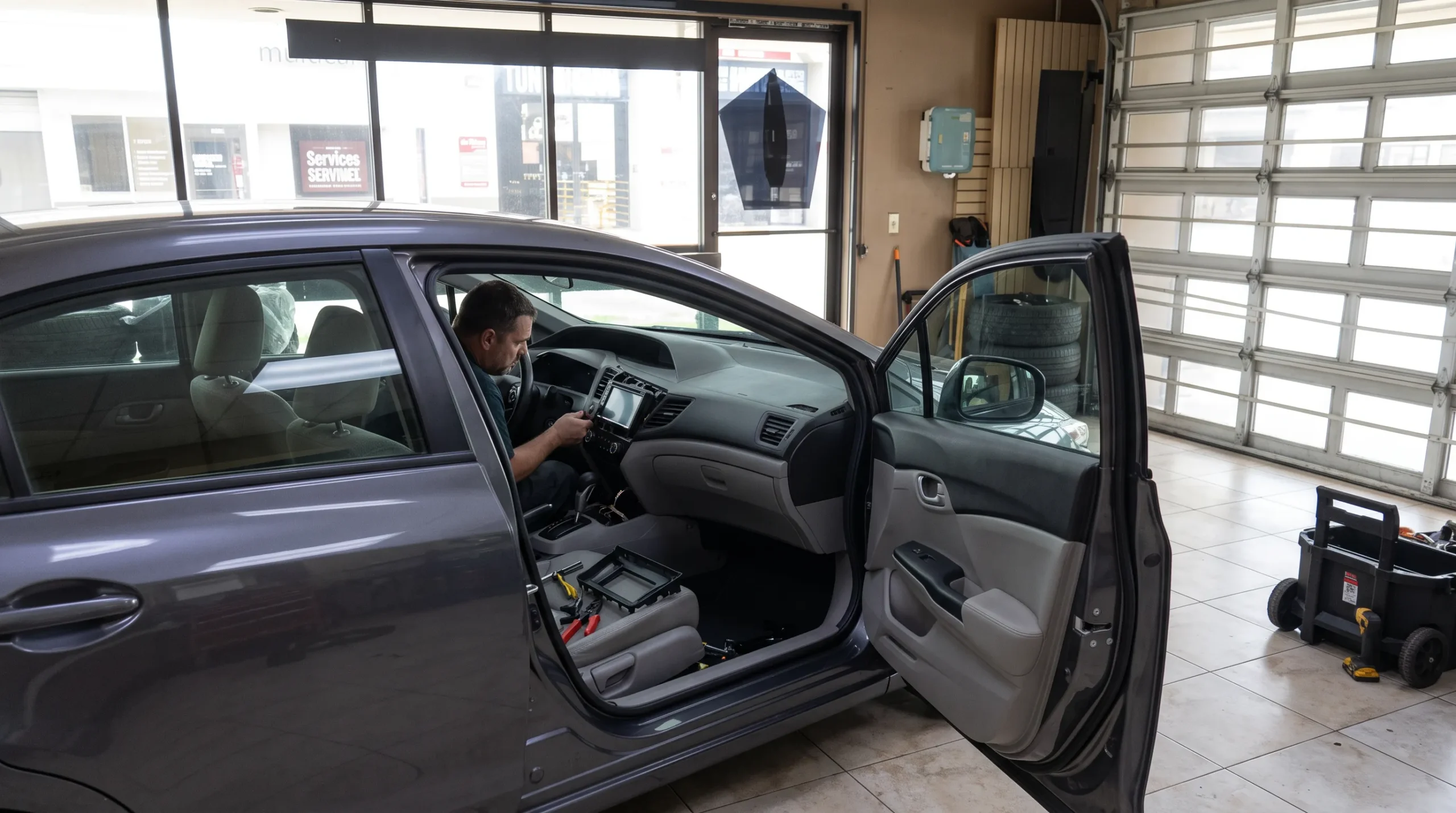
A good installer should be able to explain the equipment and identify which questions depend on your vehicle.
Jensen car stereos can be worth considering when you want Bluetooth, CarPlay, Android Auto, or a touchscreen receiver without choosing equipment solely for advanced features you may not use. The brand offers simple single-DIN radios as well as multimedia receivers with camera inputs and amplifier connections. The best option depends on the exact model, your vehicle’s fitment, the factory audio system, and the functions you want. Professional installation can also make a difference in the finished result.
Some Jensen head units support Apple CarPlay and Android Auto, but not all models do. The J1CA7 provides wired smartphone connectivity, while models such as the CAR723W, CAR813, and CAR1013-M support both wired and wireless CarPlay and Android Auto. Simple receivers such as the MPR2110 and CDX3119 provide Bluetooth rather than smartphone projection. Check the manufacturer’s specifications before choosing a model.
Both are 7-inch touchscreen multimedia receivers. The J1CA7 supports wired Apple CarPlay and Android Auto. The CAR723W supports wired and wireless connections for both platforms. Jensen also lists front and rear camera inputs and a ten-band equalizer on the CAR723W. The J1CA7 includes a backup camera input and an eight-band equalizer. The better choice depends on which connections and sound features you want.
Many Jensen multimedia receivers include a backup camera input. Models such as the J1CA7, CAR723W, CAR813, and CAR1013-M support compatible rear cameras. A proper installation requires suitable camera power, video connections, and reverse-trigger settings. Retaining a factory camera may require an adapter. Audio Vision offers backup camera installation and can discuss camera compatibility with the selected receiver.
Many Jensen receivers can work with compatible factory speakers. Retaining steering wheel audio controls may require an additional vehicle-specific adapter. Cars with factory amplifiers, warning chimes, or integrated multimedia functions may need other interfaces. The receiver should be checked against your vehicle’s year, make, model, trim, and audio package before installation. Audio Vision can discuss compatibility during a car stereo consultation.
Several Jensen receiver product pages advertise a four-year limited warranty when the eligible product is registered within 60 days of purchase. Coverage depends on the specific model and written warranty terms. Keep your purchase documentation and follow the manufacturer’s registration instructions. Installation workmanship coverage is a separate matter, so ask Audio Vision what terms apply to the work performed on your vehicle.
Audio Vision features Jensen car audio equipment and provides professional stereo installation at 5521 Holt Blvd, Montclair, CA 91763. The shop serves Montclair, CA, Ontario, CA, Rancho Cucamonga, CA, Pomona, CA, Claremont, CA, Chino, CA, Chino Hills, CA, and nearby communities. Call (909) 983-4500 or visit the Audio Vision contact page to confirm model availability and schedule an installation appointment.
You don’t need every available stereo feature to enjoy a useful upgrade.
Sometimes a straightforward Bluetooth receiver is exactly what an older car needs.
Other customers want Apple CarPlay, Android Auto, a larger touchscreen, or a backup camera display.
Jensen car stereos offer several options for those projects.
The right choice comes down to your vehicle, the functions you want, and the quality of the installation.
At Audio Vision, we’re ready to discuss Jensen receivers and compatible car audio equipment for your car, truck, or SUV.
Business Name: Audio Vision
Address: 5521 Holt Blvd, Montclair, CA 91763
Phone: (909) 983-4500
Business Hours: Monday through Sunday, 9:00 AM to 7:00 PM
Website: https://audiovisionie.com
Jensen Car Audio: See Jensen Receivers and Audio Equipment
Stereo Installation: View Car Audio Installation Services
Apple CarPlay: Learn About CarPlay Installation
Android Auto: Learn About Android Auto Installation
Backup Cameras: See Backup Camera Installation Services
Interested in a Jensen stereo for your vehicle?
Call (909) 983-4500 or visit our Contact Us page to schedule an appointment.
Tell us your vehicle’s year, make, model, and trim level.
Let us know whether you’re looking for Bluetooth, Apple CarPlay, Android Auto, a touchscreen display, or an audio upgrade with additional speakers or amplifiers.
Our team can discuss currently available Jensen products, installation compatibility, and the next steps for your stereo project.
The following Jensen manufacturer specifications, car audio installation resources, and Audio Vision service pages support the technical and local information in this article.
Publisher: Jensen Mobile
Publication Date: Not specified on the referenced product page
URL: https://jensenmobile.com/shop/receivers/mpr2110/
Manufacturer specifications for the single-DIN MPR2110, including Bluetooth, USB, auxiliary input, RCA outputs, and slim chassis construction.
Publisher: Jensen Mobile
Publication Date: Not specified on the referenced product page
URL: https://jensenmobile.com/shop/receivers/cdx3119/
Manufacturer information about CD playback, Bluetooth calling, streaming, and single-DIN receiver specifications.
Publisher: Jensen Mobile
Publication Date: Not specified on the referenced product page
URL: https://jensenmobile.com/shop/multimedia/j1ca7/
Official specifications covering wired CarPlay and Android Auto, backup camera input, equalization, and amplifier connections.
Publisher: Jensen Mobile
Publication Date: Not specified on the referenced product page
URL: https://jensenmobile.com/shop/multimedia/car723w/
Manufacturer details about wireless and wired phone connectivity, camera inputs, USB connections, equalizer settings, and preamp outputs.
Publisher: Jensen Mobile
Publication Date: Not specified on the referenced product page
URL: https://jensenmobile.com/shop/multimedia/car813/
Official information about the adjustable 8-inch touchscreen, mounting formats, smartphone connectivity, camera inputs, and audio features.
Publisher: Jensen Mobile
Publication Date: Not specified on the referenced product page
URL: https://jensenmobile.com/shop/multimedia/car1013-m/
Manufacturer specifications, screen adjustments, wireless smartphone connectivity, warranty conditions, and model-specific firmware guidance.
Publisher: Apple
Publication Date: Not specified on the referenced page
URL: https://www.apple.com/ios/carplay/
Official information about supported iPhone functions through compatible car receivers, including navigation, calls, messages, and music.
Publisher: Crutchfield
Publication Date: Not specified on the referenced page
URL: https://www.crutchfield.com/learn/car-stereo-installation-explained.html
Guidance about dashboard mounting kits, wiring adapters, factory controls, and installation requirements for aftermarket head units.
Publisher: Crutchfield
Publication Date: Not specified on the referenced page
URL: https://www.crutchfield.com/learn/learningcenter/car/car_stereo/glossary.html
Definitions of peak power, RMS power, preamp outputs, and other receiver specifications.
Publisher: Audio Vision
Publication Date: Not specified on the referenced page
URL: https://audiovisionie.com/car-audio-brands/jensen/
Audio Vision’s Jensen brand information, including multimedia receiver products and professional installation.
Publisher: Audio Vision
Publication Date: Not specified on the referenced page
URL: https://audiovisionie.com/car-stereo-installation-in-montclair-ca-process-timeline-cost/
Business guidance concerning stereo fitment, dash kits, wiring, factory equipment retention, installation steps, and testing.
Publisher: Audio Vision
Publication Date: Not specified on the referenced page
URL: https://audiovisionie.com/services/car-audio/
Information about Audio Vision’s professional car audio installation and related stereo services.
Publisher: Audio Vision
Publication Date: Not specified on the referenced page
URL: https://audiovisionie.com/services/car-back-up-camera-system/
Information about backup camera installation and compatibility with multimedia receivers.
Looking for the best car audio installation in Montclair, CA? Discover expert tips, top brands, and why Audio Vision is the go-to destination for high-quality car sound systems.
Product Brand: Audio Vision
Product Currency: USD
Product Price: 299
Product In-Stock: InStock

Acima, a flexible lease-to-own option that helps you get the car upgrades you love—without needing perfect credit. Whether you’re looking for car audio, video, security systems, window tint, wheels, auto lighting, or accessories, Acima makes it easy with no credit needed and convenient payment options. Get what you want today and pay over time, hassle-free!

Snap Finance is here to help you get the car audio, video, security, window tint, wheels, lighting, and accessories you need today. With Snap Finance, you can shop now and pay later, thanks to their flexible payment plans that consider more than just your credit score. Applying is fast and easy, and you’ll receive a decision in seconds. Take advantage of stress-free payment options that fit your payday schedule, so you can upgrade your ride without the wait!
Explore the many services we offer by clicking the boxes below


|
|
|
|
|
|
|
|
|
|
|
|
|
|
|
|
Jensen Car Stereos: Budget Head Units Worth Installing
|
Jensen Car Stereos: Budget Head Units Worth Installing
|
Jensen Car Stereos: Budget Head Units Worth Installing
|
Jensen Car Stereos: Budget Head Units Worth Installing
|
|
|
|
|
|
|
|
|
|
|
|
|
|
|
|
|
|
|
|
|
|
|
|
|
|
|