

Looking for the best car audio installation in Montclair, CA? Discover expert tips, top brands, and why Audio Vision is the go-to destination for high-quality car sound systems.
Product Brand: Audio Vision
Product Currency: USD
Product Price: 299
Product In-Stock: InStock
Car radio installation can make an older vehicle much easier to live with every day. A car that left the factory with a cassette deck, CD player, small display, or simple AM/FM radio may be able to use a newer head unit with Bluetooth, touchscreen controls, Apple CarPlay, Android Auto, USB connections, or backup camera support.
The right choice depends on much more than the age of the vehicle. Dash opening size, mounting depth, factory wiring, speaker setup, antenna connection, and available installation kits can all affect which radio will fit.
At Audio Vision in Montclair, CA, we work with drivers who want newer car audio features without replacing the vehicle they already enjoy. If you are thinking about car radio installation, understanding the available head unit styles can help you know what to ask about before the work begins.
A head unit is the radio or receiver mounted in the dashboard. It acts as the control center for much of the car audio system.
Depending on the model, a head unit can handle radio reception, Bluetooth audio, phone calls, USB playback, smartphone connections, audio settings, amplifier outputs, and camera display.
Older vehicles often came with far fewer functions.
That is why car radio installation can change the way an older vehicle feels without changing the car itself.
You may be able to keep the vehicle you know while adding many of the audio and phone functions found in newer cars.

Audio Vision provides car audio services for customers who want to replace an older factory radio or build a larger sound system around a new receiver.
Many older vehicles can accept an aftermarket radio.
The exact answer depends on the dashboard and wiring.
Some cars use a straightforward rectangular radio opening. Others need a dash kit so the aftermarket receiver sits securely and fills the original opening correctly.
Metra, a manufacturer of car stereo installation parts, makes vehicle-specific kits for aftermarket radios. Its documentation describes kits designed for 2-inch single-DIN and 4-inch double-DIN radios.
You can see one example in the Metra stereo installation kit information.
An installer also needs to check mounting depth.
Older dashboards sometimes have braces, heater ducts, wiring, or other parts behind the factory radio. A receiver may fit the front opening but still need more room behind it.
This is why car radio installation should start with vehicle fitment rather than choosing a radio based only on screen size.
Single-DIN radios remain a useful choice for many older vehicles.
A standard single-DIN opening is roughly 2 inches tall. Metra describes its single-DIN installation kits as being made for 2-inch-tall aftermarket radios.
A single-DIN head unit may make sense when you want a clean radio replacement without adding a large screen.
Current single-DIN-style receivers may include functions such as:
A single-DIN car radio installation can also work well when the dashboard has limited room.
Some owners of classic cars, older trucks, work vehicles, or older daily drivers prefer this format because it keeps the dashboard simple.
The catch is screen space.
A traditional single-DIN receiver does not have the large display found on many multimedia head units. If Apple CarPlay, Android Auto, maps, or a backup camera display are high on your list, another style may make more sense.
A double-DIN radio is roughly twice the height of a standard single-DIN receiver.
Metra describes double-DIN kits as being made for 4-inch-tall aftermarket radios.
This larger opening gives manufacturers room for touchscreen displays.
Double-DIN car radio installation is popular for older vehicles when the dashboard can accept the larger format or can use a compatible dash kit.
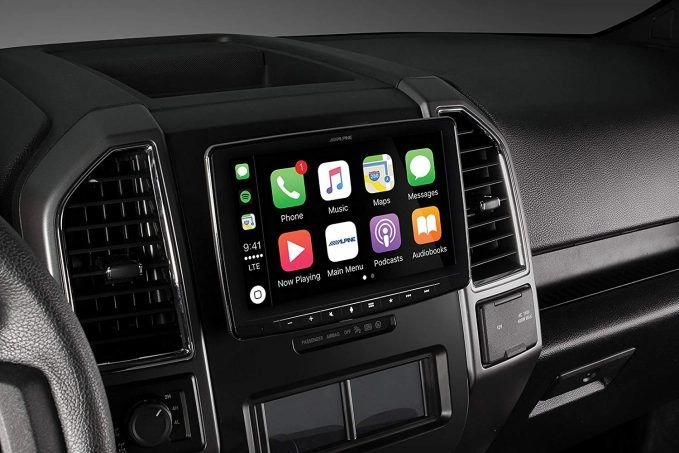
A touchscreen receiver may include:
Sony currently sells multimedia receivers that support Apple CarPlay and Android Auto. Some models support wired connections, while others also support wireless connections.
If you want a factory-style touchscreen appearance, a double-DIN radio is often one of the first head unit types worth discussing with an installer.
Audio Vision works with brands such as Sony, Kenwood, Pioneer, JVC, and Alpine.
What if your vehicle has a small radio opening but you want a larger touchscreen?
A floating-screen receiver may be worth discussing.
These radios can use a smaller chassis behind the dashboard while placing a larger display in front of the dash.
Some Kenwood receivers use a one-DIN chassis with a separate display design. That type of construction can give installers another option for vehicles that do not have a traditional double-DIN opening.
A floating screen still needs careful fitment.
The display should not interfere with:
Screen position also needs to make sense from the driver’s seat.
A professional car radio installation can determine whether a floating display works with the shape and controls of your older dashboard.
You do not need a large touchscreen to add Bluetooth to an older vehicle.
Bluetooth can be one of the most useful changes for a car that originally came with a cassette player, CD receiver, or early factory radio.
Depending on the receiver, Bluetooth may support hands-free calls and wireless music streaming.
A microphone may also be installed so callers can hear you clearly.
For many drivers, this is enough.
If you mainly want to play music from your phone and make calls without installing a large display, a Bluetooth head unit can keep the project simple.
That makes Bluetooth-focused car radio installation worth considering for older commuter cars, trucks, or vehicles where the owner wants to preserve a simpler dash appearance.
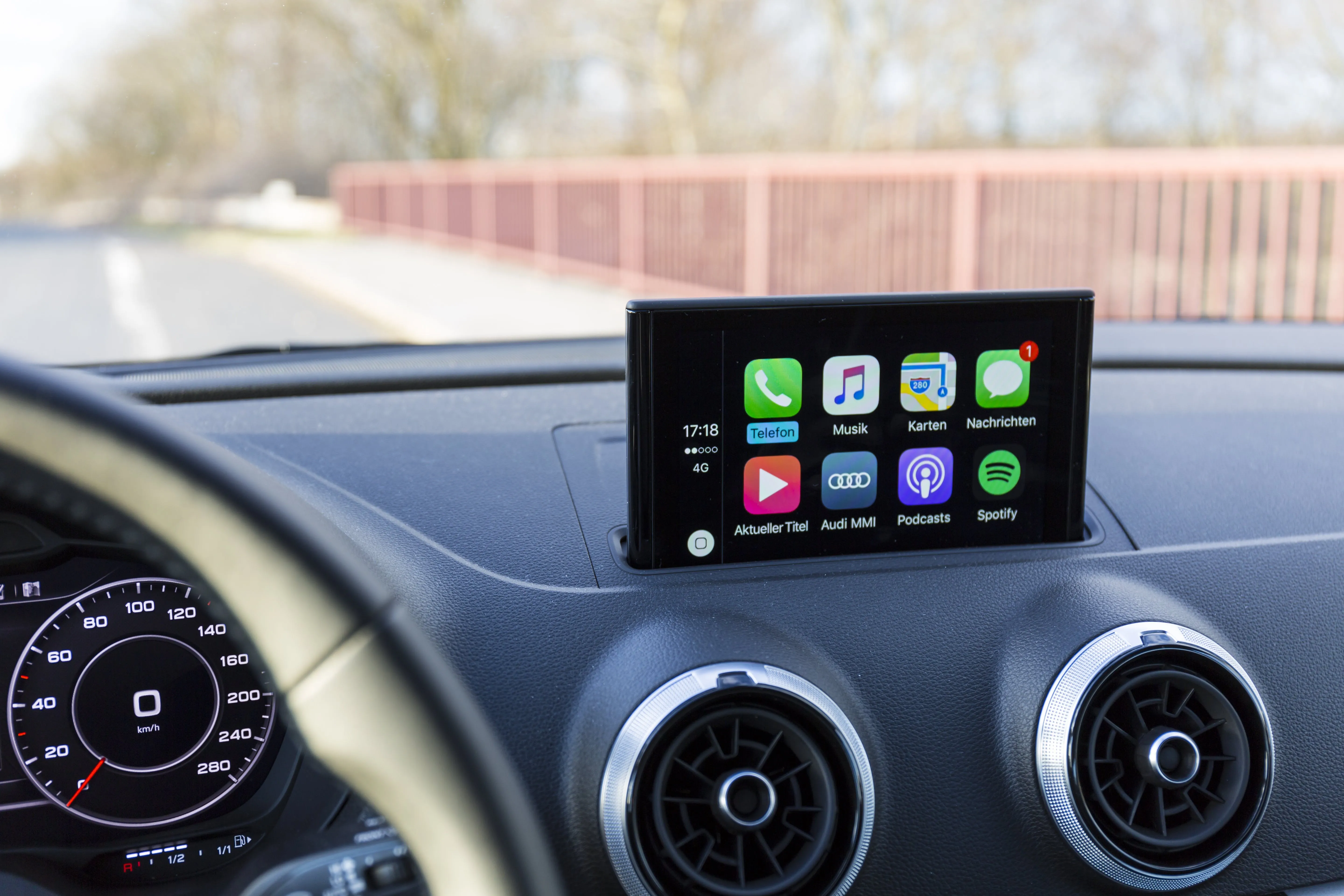
Apple CarPlay can bring phone-based navigation, calls, messages, and music to a compatible car stereo display.
Apple states that CarPlay works through compatible vehicle or stereo systems and can use a wired or wireless connection depending on the equipment.
You can review Apple’s current guidance on the Apple CarPlay support page.
This means an older vehicle does not necessarily need factory CarPlay.
A compatible aftermarket head unit can add the function when the vehicle can accept the receiver and required installation parts.
Audio Vision provides Apple CarPlay installation for customers who want to add compatible phone features to their vehicles.
For an older car, car radio installation with CarPlay can be a practical way to gain a navigation screen without relying on the factory radio system the vehicle came with years ago.
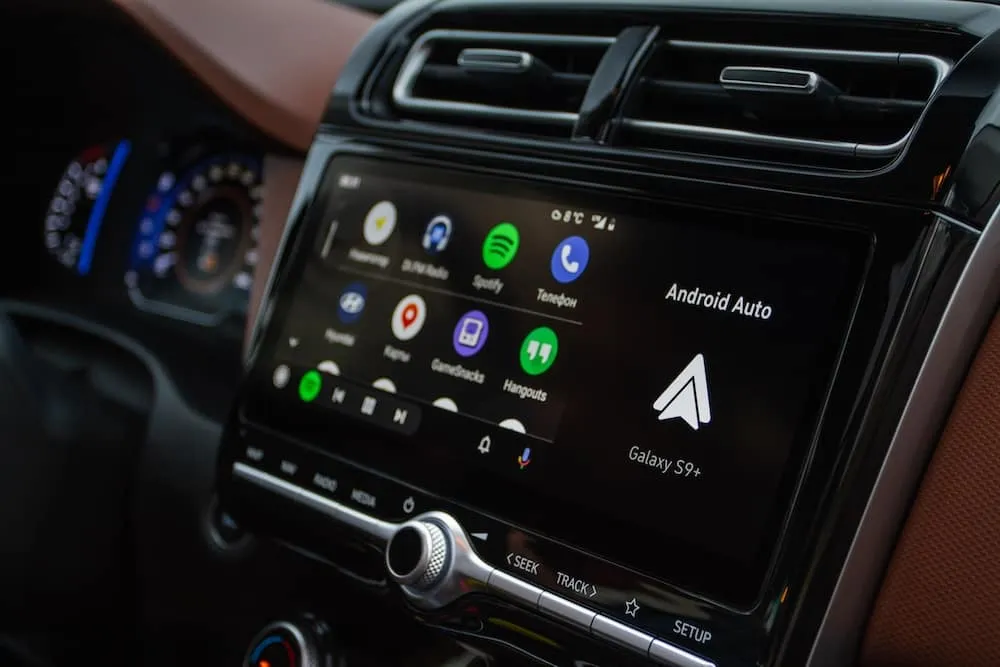
Android phone users can take a similar approach with Android Auto.
Google states that Android Auto can work with a compatible car or aftermarket stereo. Supported functions include navigation, maps, calls, messages, and music.
Wireless use depends on having a compatible phone and stereo.
Audio Vision also provides Android Auto installation.
If you have an older vehicle and use an Android phone every day, installing a compatible receiver can put many phone functions onto a dash-mounted screen.
This can be much more convenient than using an aging factory radio alongside a separate phone mount.
When planning car radio installation, tell the shop whether you use an iPhone or Android phone and whether you prefer wired or wireless phone connections.
Another decision involves physical media.
Do you still use CDs?
If so, look for a receiver that includes a disc mechanism.
If most of your music comes from Bluetooth, USB, streaming apps, or your phone, a digital media receiver may fit your habits better.
Digital media receivers remove the CD mechanism. Some designs can use a shorter chassis because there is no disc transport behind the face.
That extra room can help in certain dashboards where space behind the radio is tight.
For older vehicles, this can become part of the car radio installation discussion.
Think about what you actually use rather than choosing a radio because it has the longest feature list.
A driver with a large CD collection may want one type of receiver. Someone who streams nearly all music may prefer another.
A touchscreen head unit can also create an opportunity to add a backup camera.
Many multimedia receivers include camera inputs.
That does not mean every receiver works with every camera, so compatibility still needs to be checked.
Adding a camera usually requires more work than replacing the radio alone. The camera needs a mounting location, wiring must run through the vehicle, and the head unit needs the correct connection.
Audio Vision provides car backup camera installation for drivers who want to add rear visibility equipment.
If you already plan to replace the radio, tell the installer whether a camera is something you want now or may want later.
That can affect which receiver makes sense for your car radio installation.
The head unit is only one part of many installations.
An older vehicle may need added parts to make the new stereo fit and connect correctly.
Those parts can include:
A dash kit helps mount an aftermarket radio in the original dashboard opening.
A wiring adapter may connect the new receiver to the vehicle’s original radio plug.
Some vehicles need an adapter between the original antenna connection and the aftermarket radio.
Brackets can hold the receiver in the proper position inside the dashboard.
Bluetooth calling and voice functions may use an external microphone mounted near the driver.
A receiver with Apple CarPlay, Android Auto, or USB playback may need a cable routed to an accessible location.
Adding a backup camera requires added connections between the rear camera and head unit.
The parts needed for car radio installation depend on the vehicle and receiver. That is why two older cars from different manufacturers may need very different installation parts.
Often, a new receiver can be installed while keeping the existing speakers.
Whether that makes sense depends on the speakers and the rest of the audio system.
Older factory speakers can wear out with age. Foam surrounds can deteriorate, cones can become damaged, and a speaker may start buzzing or stop playing.
If the factory speakers still work and you like the way they sound, the radio may be the only part you want to change.
If the speakers already sound weak or distorted, installing a new head unit may be a good time to discuss car speaker installation.
Audio Vision can also perform car audio troubleshooting when you are unsure whether the problem comes from the radio, speakers, wiring, amplifier, or another part of the system.
A head unit can be the starting point for a larger car audio system.
Maybe you want clearer vocals.
Maybe you want more volume.
Maybe you want deeper bass.
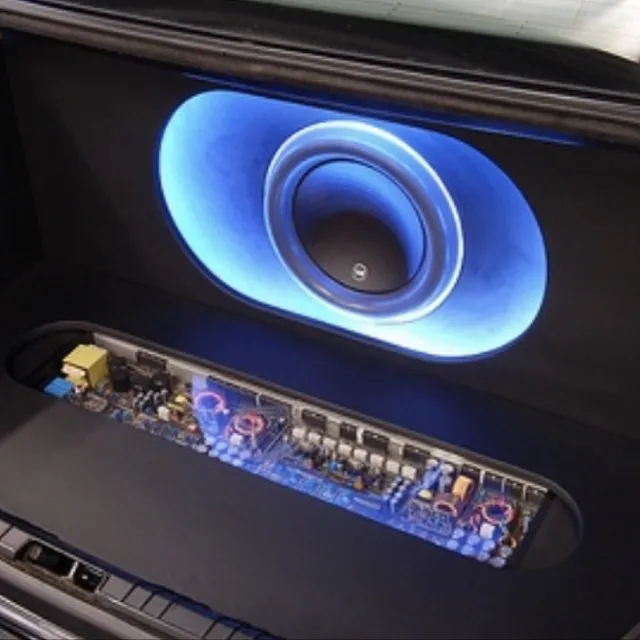
The next step could involve car speakers, a car amplifier, or a car subwoofer.
You do not always need to install everything at once.
Tell the installer where you want the system to go.
If you think you may add amplifiers or a subwoofer later, the head unit can be chosen with those plans in mind. Receiver outputs and audio controls can differ from one model to another.
This is another reason car radio installation should be planned around the whole vehicle rather than treating the radio as an isolated part.
There is no useful single price that applies to every older vehicle.
The amount of work changes with the car, the head unit, and the features you want.
Factors can include:
Older vehicles can sometimes have wiring left behind from previous stereo work.
That may mean the installer needs to inspect what is already there before determining the proper approach.
Rather than relying on a generic online price, call Audio Vision at (909) 983-4500 or use the contact page with your vehicle information. The shop can discuss your car radio installation based on the car and features you actually want.
Audio Vision provides car radio installation from its shop at 5521 Holt Blvd, Montclair, CA 91763.
Drivers visit from Montclair, CA and nearby communities such as Ontario, CA and Rancho Cucamonga, CA for car audio and mobile electronics work.
An older vehicle does not have to stay stuck with an older audio setup.
A replacement radio may give you Bluetooth while keeping things simple.
A touchscreen receiver may add Apple CarPlay or Android Auto.
A camera-ready receiver can become part of a backup camera project.
A larger audio build may pair the new head unit with speakers, an amplifier, and a subwoofer.
The right setup depends on how you use your vehicle.
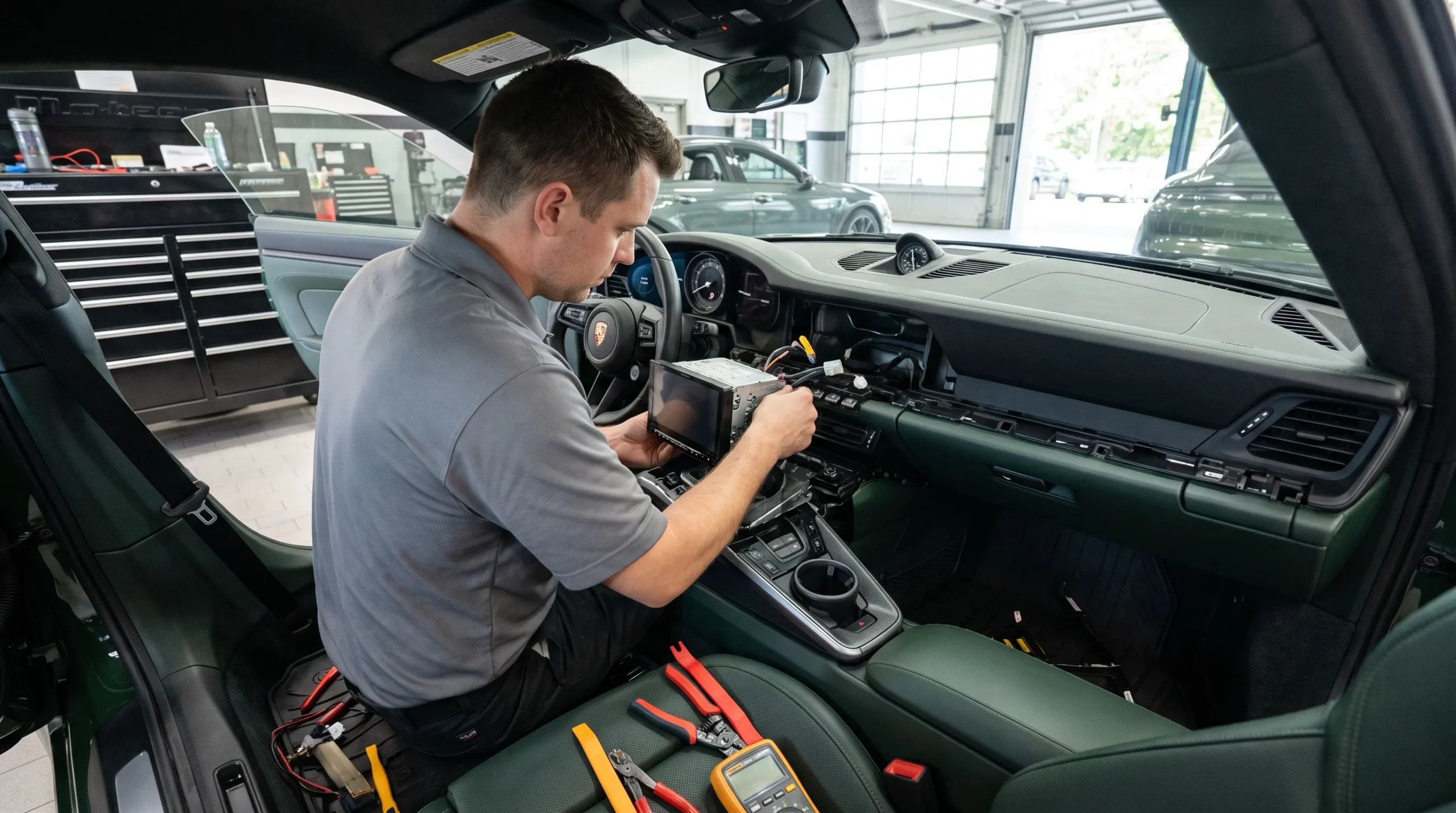
Audio Vision has served the Inland Empire since 2006 and specializes in mobile electronics sales and installation. The shop works with car audio equipment from brands including Sony, Kenwood, Pioneer, JVC, and Alpine.
If your older vehicle still has its original stereo, car radio installation can add the phone, music, and display functions you actually want.
Start with your vehicle year, make, model, and trim.
Then think about the features that matter to you:
Audio Vision can help you determine which head unit format fits the vehicle and which installation parts may be needed.
Audio Vision
5521 Holt Blvd
Montclair, CA 91763
Phone: (909) 983-4500
Hours: Monday through Sunday, 9 a.m. to 7 p.m.
Call (909) 983-4500 or contact Audio Vision online to schedule an appointment for car radio installation in Montclair, CA.
Many older vehicles can accept aftermarket radios when the correct dash kit, wiring connections, and mounting parts are available. The installer should check the vehicle before choosing the final receiver.
Single-DIN radios use a radio opening roughly 2 inches tall. Double-DIN receivers use an opening roughly 4 inches tall and often have larger touchscreen displays. Vehicle fitment determines which style can be installed.
Yes, many older vehicles can use an aftermarket receiver with Apple CarPlay when a compatible head unit and installation setup are available. Audio Vision provides Apple CarPlay installation in Montclair, CA.
A compatible aftermarket receiver can add Android Auto to many older vehicles. The vehicle must be able to accept the radio, and your phone and receiver must support the connection type you want.
Not always. A new receiver can often work with existing speakers. If your old speakers buzz, distort, or no longer produce the sound you want, you can also discuss car speaker installation.
Many touchscreen receivers have camera inputs. A compatible camera can often be installed with the new stereo. Audio Vision provides backup camera installation for customers who want to add this function.
Audio Vision is located at 5521 Holt Blvd, Montclair, CA 91763. Call (909) 983-4500 or use the Audio Vision contact page to discuss your older vehicle and schedule car radio installation.
Looking for the best car audio installation in Montclair, CA? Discover expert tips, top brands, and why Audio Vision is the go-to destination for high-quality car sound systems.
Product Brand: Audio Vision
Product Currency: USD
Product Price: 299
Product In-Stock: InStock

Acima, a flexible lease-to-own option that helps you get the car upgrades you love—without needing perfect credit. Whether you’re looking for car audio, video, security systems, window tint, wheels, auto lighting, or accessories, Acima makes it easy with no credit needed and convenient payment options. Get what you want today and pay over time, hassle-free!

Snap Finance is here to help you get the car audio, video, security, window tint, wheels, lighting, and accessories you need today. With Snap Finance, you can shop now and pay later, thanks to their flexible payment plans that consider more than just your credit score. Applying is fast and easy, and you’ll receive a decision in seconds. Take advantage of stress-free payment options that fit your payday schedule, so you can upgrade your ride without the wait!
Explore the many services we offer by clicking the boxes below


|
|
|
|
|
|
|
|
|
|
|
|
|
|
|
|
Car Radio Installation: Head Unit Options for Older Vehicles
|
Car Radio Installation: Head Unit Options for Older Vehicles
|
Car Radio Installation: Head Unit Options for Older Vehicles
|
Car Radio Installation: Head Unit Options for Older Vehicles
|
|
|
|
|
|
|
|
|
|
|
|
|
|
|
|
|
|
|
|
|
|
|
|
|
|
|