
Looking for the best car audio installation in Montclair, CA? Discover expert tips, top brands, and why Audio Vision is the go-to destination for high-quality car sound systems.
Product Brand: Audio Vision
Product Currency: USD
Product Price: 299
Product In-Stock: InStock
AudioControl processors can help improve your car’s sound system without replacing the factory stereo. If your original radio works perfectly but the music sounds flat, the bass disappears when you turn up the volume, or the speakers lack detail, the problem may not be the radio itself. It could be the way the factory system handles the audio signal.
That’s where an AudioControl signal processor can make a difference.
Modern factory stereos often do more than play music. They may control vehicle settings, display backup camera images, handle Bluetooth calls, or connect to steering wheel controls. Replacing that equipment isn’t always practical.
The good news is that you may be able to keep your original dashboard and still upgrade the sound.
AudioControl makes line output converters, digital signal processors, and amplifiers with built-in processing. These products allow installers to connect aftermarket audio components to compatible factory systems, adjust the audio signal, and tune the sound for the vehicle’s interior.
But the right product depends on what you’re trying to improve.
At Audio Vision, we’ve served the Inland Empire since 2006. Our shop in Montclair, CA offers AudioControl signal processors and amplifiers alongside professional car audio installation.
Whether you’re in Montclair, CA, Ontario, CA, Rancho Cucamonga, CA, or another nearby community, this guide explains how AudioControl processors work, what they can improve, and what to expect from a factory stereo upgrade.
Years ago, upgrading a car stereo often meant removing the original radio and installing a new one.
Today’s vehicles can be different.
A factory touchscreen might handle much more than music. Depending on the car, it may contain controls for navigation, cameras, phone calls, vehicle settings, and other equipment.
Replacing that screen could require specialized adapters, additional wiring, or changes that affect factory features.
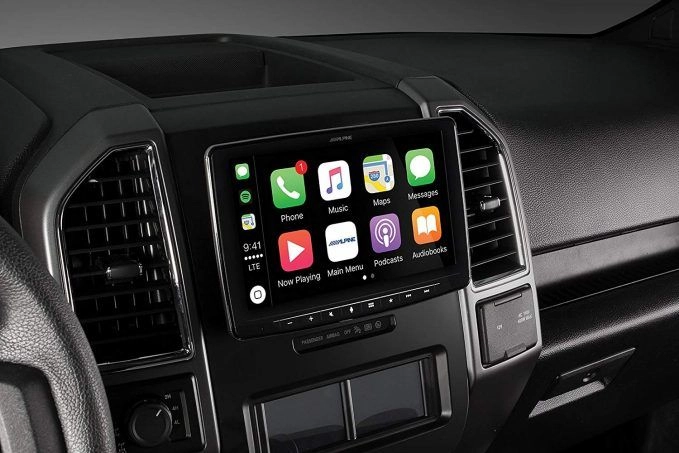
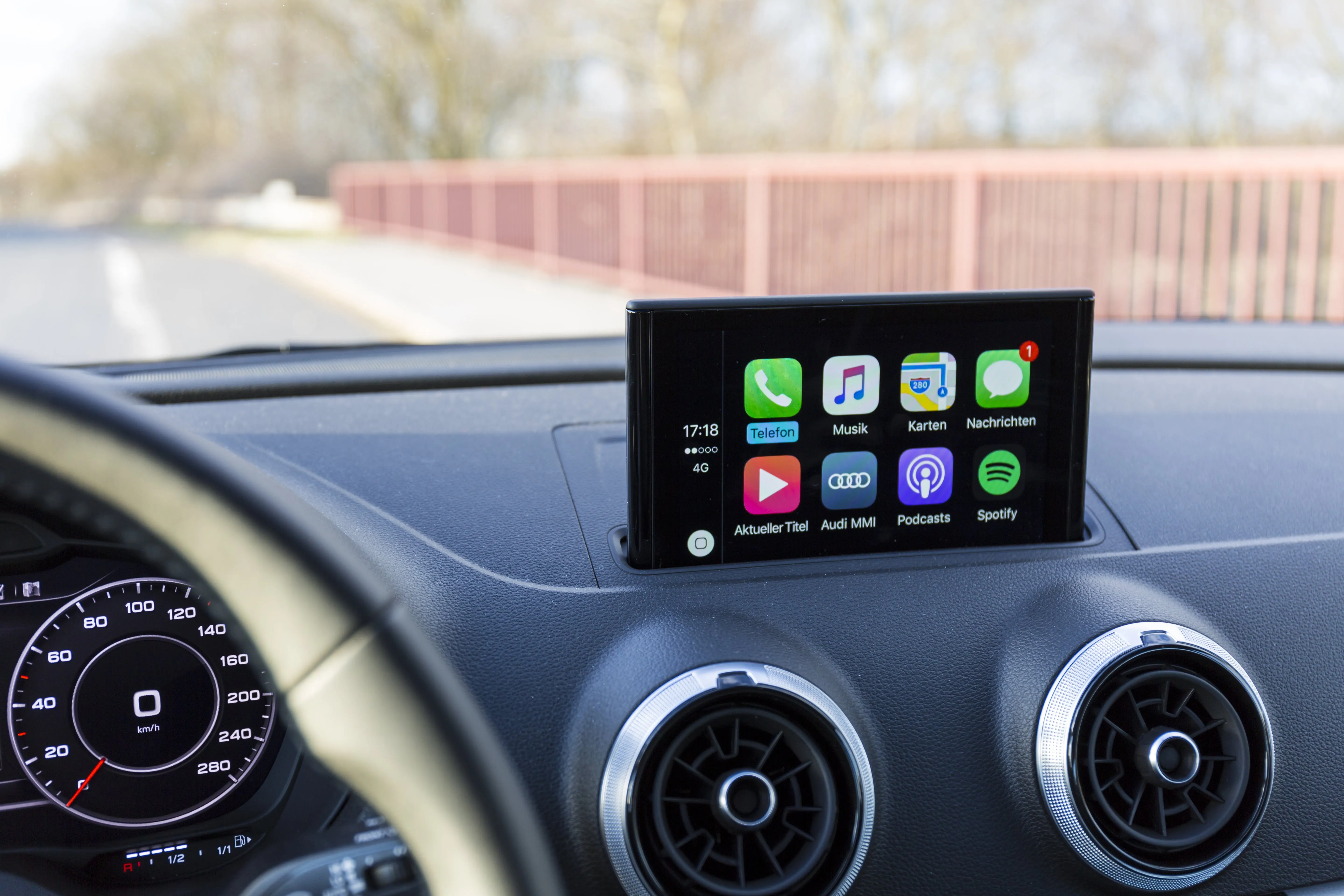
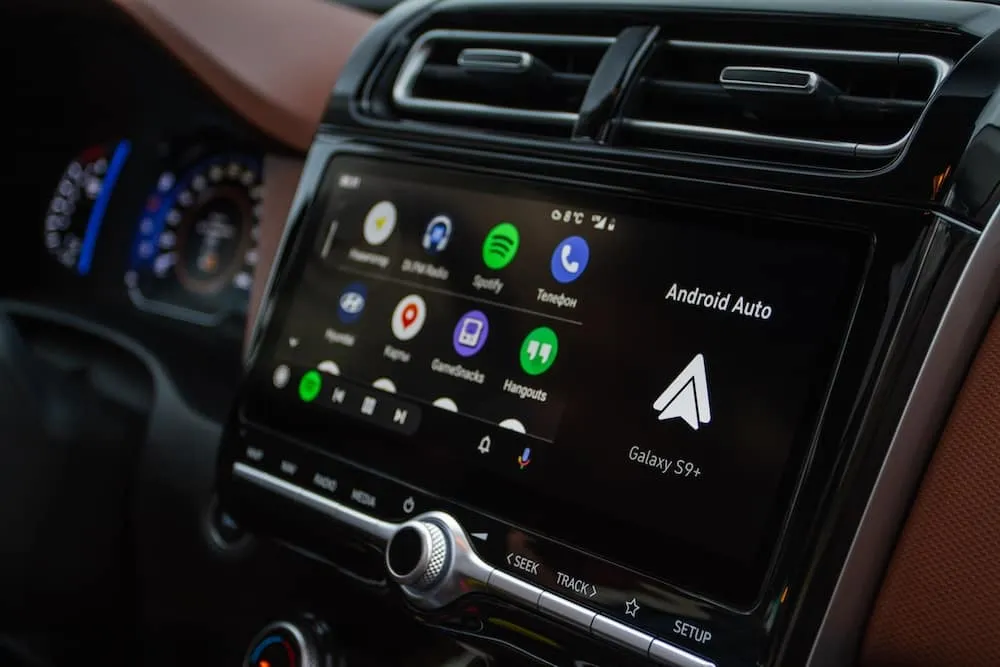
Maybe your factory system already supports Bluetooth, Apple CarPlay, or Android Auto.
You like the screen.
The buttons work.
Your phone connects without a problem.
The only thing you dislike is the sound.
In that situation, replacing the stereo may not be the first upgrade to consider.
An appropriate signal processor can allow new audio components to work with the factory source.
Some car owners prefer the factory look.
A signal processor is usually installed elsewhere in the vehicle, not in place of the dashboard receiver.
That means the original screen and controls can remain in position.
You may get improved audio without changing the appearance of the cabin.
With compatible equipment and proper installation, your existing volume control, steering wheel buttons, and supported audio functions can remain available.
AudioControl’s LC2i product information describes upgrading factory audio while retaining factory volume and steering wheel controls.
Still, retaining every feature depends on the vehicle and the installation method.
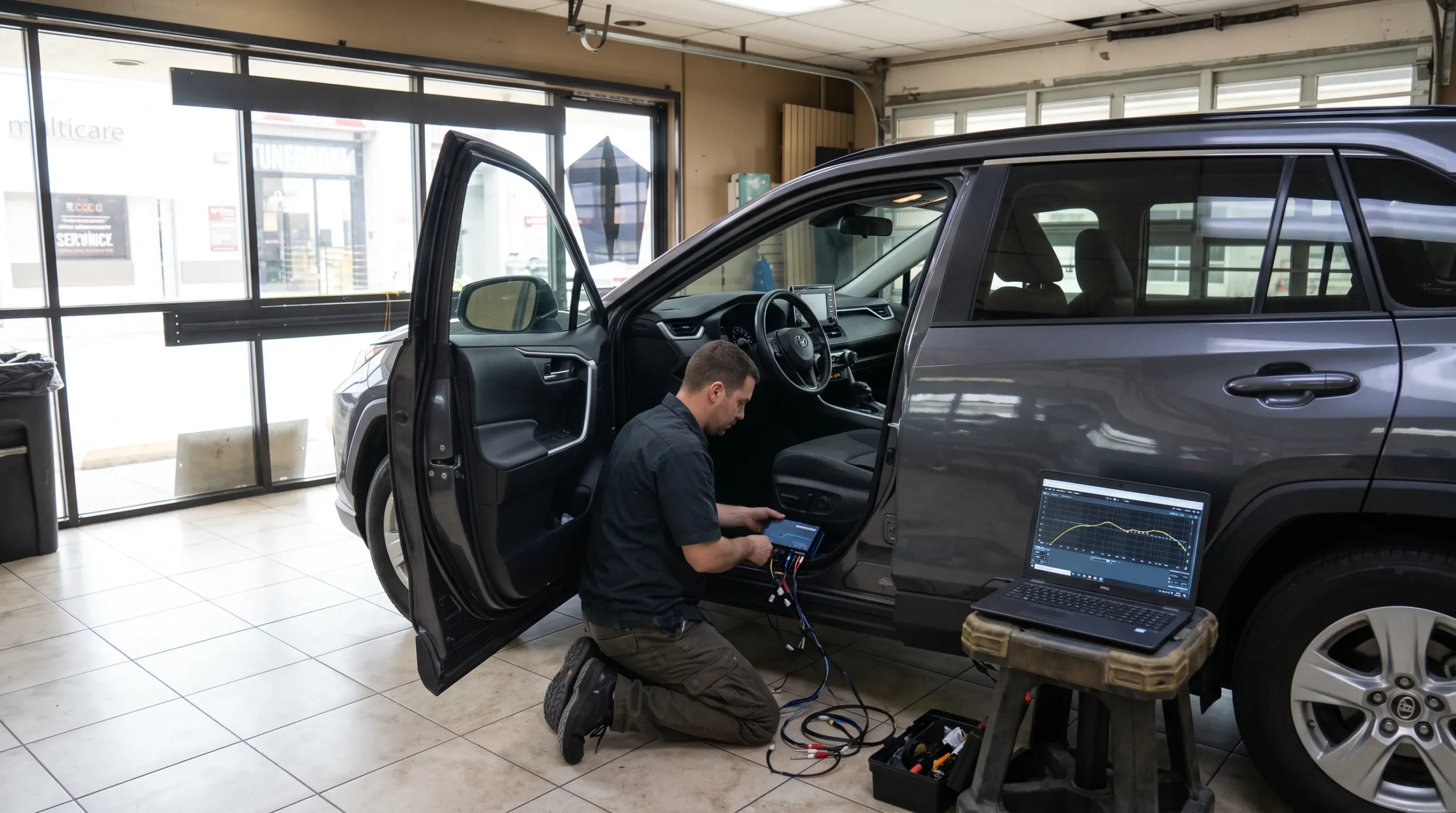
That’s why a compatibility check matters before work begins.
AudioControl is a manufacturer of automotive audio electronics, including signal converters, digital signal processors, and amplifiers.
These products work with audio signals between the music source and the equipment that produces sound.
An AudioControl processor may help an installer adjust frequencies, correct certain factory signal characteristics, or prepare a suitable signal for an aftermarket amplifier.
The exact functions depend on the product.
Your factory radio sends an audio signal through the vehicle’s sound system.
That signal may already contain equalization, filtering, or other adjustments made by the vehicle manufacturer.
A processor can work with the available signal before it reaches newly installed audio equipment.
A simple converter prepares speaker-level audio for an amplifier.
A full digital signal processor, commonly called a DSP, offers much more detailed adjustments.
A DSP is an electronic device that manipulates an audio signal using digital processing.
A compatible automotive DSP may provide:
The AudioControl DM-810 is an example of a product offering these functions.
Not every AudioControl product is a full DSP.
Understanding that difference helps you choose the right equipment.
Factory stereos are designed around a vehicle’s original speakers, cabin layout, and manufacturing requirements.
The manufacturer may adjust the audio signal to suit those speakers.
These adjustments can include equalization, crossovers, and volume-dependent bass changes.
That doesn’t necessarily mean the factory system is defective.
It means the original audio signal may not be ideal for a different set of speakers or an added subwoofer.
Some factory audio systems reduce low-frequency output at higher volume settings.
This is often called bass roll-off.
The system may do this to help protect the original speakers or manage their limits.
But when you add a subwoofer, that reduced bass signal can become a problem.
You turn up the music, expecting more bass, and the low frequencies don’t increase the way you want.
AudioControl developed its AccuBASS technology to address this type of factory signal behavior.
In certain vehicles, the factory amplifier sends different frequency ranges to different speakers.
A door woofer might receive mostly lower frequencies.
A dashboard speaker might receive midrange or higher frequencies.
If an installer connects an aftermarket amplifier to only one of those signals, some of the music may be missing.
Certain AudioControl devices allow multiple channels to be combined so an installer can work with a more complete signal.
The factory system may also apply equalization intended for the original speakers.
When those speakers are replaced, the existing adjustments may not suit the new equipment.
A DSP can give an installer more control over the resulting sound.
But it can’t fully recover audio information that was never present in the source.
The factory signal should be measured before deciding what processing is needed.
This is one of the most useful distinctions to understand before choosing AudioControl equipment.
A line output converter and a digital signal processor serve different purposes.
A line output converter, or LOC, takes a higher-level speaker signal and converts it into a suitable lower-level audio signal for compatible aftermarket equipment.
Many aftermarket amplifiers accept low-level RCA inputs.
A factory stereo may not provide the same output connections.
An LOC helps bridge that difference.
Some AudioControl converters also provide bass correction, channel summing, and other useful functions.
A DSP offers more detailed control over the audio signal.
It can adjust individual speaker channels, equalization, timing, and crossover behavior.
That can be useful when building a multi-speaker system around the factory radio.
| Product category | Main purpose | Common use |
|---|---|---|
| Line output converter | Converts compatible factory speaker signals for aftermarket audio equipment | Adding an amplifier or subwoofer |
| Multi-channel line output converter | Converts and combines selected factory audio channels | More involved factory audio upgrades |
| Digital signal processor | Provides detailed sound tuning and routing | Tuning several speakers and amplifiers |
| DSP amplifier | Combines signal processing with speaker amplification | Factory stereo upgrades needing both tuning and power |
A line output converter isn’t a substitute for every function offered by a DSP.
And a DSP alone doesn’t necessarily supply enough power to operate passive speakers without an amplifier.
The AudioControl LC2i PRO is a two-channel line output converter designed for connecting aftermarket audio equipment to compatible factory stereo systems.
It’s worth discussing if your main goal is adding a subwoofer while keeping the original radio.
According to AudioControl’s LC2i PRO specifications, the device includes:
These features help an installer connect a suitable aftermarket amplifier to certain factory audio systems.
AccuBASS is AudioControl’s bass compensation feature.
It is designed to address factory bass reduction that occurs as the volume increases.
The installer adjusts its settings according to the vehicle’s audio signal.
That can help maintain low-frequency output for a connected amplifier and subwoofer.
But AccuBASS isn’t a repair for a damaged speaker, faulty amplifier, or poor-quality music recording.
Yes, when using the LC2i PRO with a conventional passive subwoofer setup, you still need a suitable amplifier.
The LC2i PRO processes and converts audio signals. It does not replace a power amplifier.
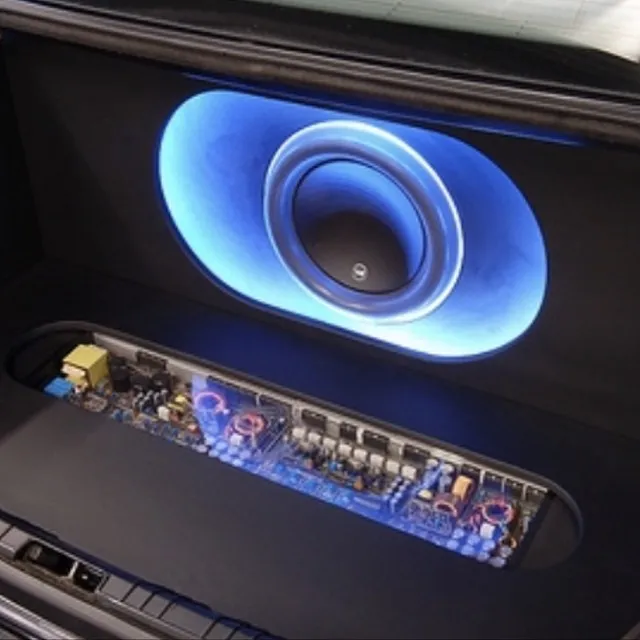
Audio Vision offers car subwoofer installation and car amplifier installation for customers interested in adding bass to their factory stereo.
Some factory stereos send audio through several speaker channels.
In those systems, a simple two-channel converter may not provide the signal arrangement needed for the planned upgrade.
The AudioControl LC7i is a six-channel line output converter intended for more involved factory audio connections.
The AudioControl LC7i accepts multiple speaker-level input channels.
It also provides channel summing and AccuBASS processing.
This can help when a vehicle’s original sound system sends different frequency ranges to different speaker locations.
Signal summing combines selected audio channels.
Picture a factory system where the front doors receive one part of the music and the dashboard speakers receive another.
A suitable multi-channel converter may allow an installer to combine those signals for an aftermarket system.
But summing must be done carefully.
If the original signals contain unusual phase relationships, delays, or processing, simply combining them may produce cancellation or uneven sound.
A technician should inspect the factory signals before selecting the connections.
No.
The LC7i provides signal conversion and selected processing functions.
A full DSP offers much more detailed control over equalization, delay, routing, and crossovers.
For customers building a complete system with several aftermarket amplifiers and speakers, a DSP may be the better tool.
If you want more than added bass, the AudioControl DM-810 is worth discussing.
It is a digital signal processor designed to work with suitable factory and aftermarket audio systems.
AudioControl’s DM-810 product information describes an eight-input, ten-output processor.
Its features include:
These features allow an installer to work with several audio channels individually.
Every vehicle cabin is different.
The driver’s seat isn’t centered between all the speakers.
A speaker mounted in the left door is much closer to the driver than one on the right side.
The cabin’s glass, plastic trim, seats, and other surfaces also influence what you hear.
With proper measurements, a DSP can help an installer adjust timing, frequency response, and channel levels to suit the installation.
No.
A vehicle that only needs an added subwoofer may not require a multi-channel DSP.
On the other hand, a system with several aftermarket speakers and amplifiers may benefit from detailed tuning.
The decision depends on your equipment and the factory signal.
Audio Vision’s AudioControl brand page describes DSP installation and tuning services for vehicle owners interested in advanced sound adjustment.
Some AudioControl products combine amplification and digital sound processing in one chassis.
This is another option for upgrading sound without replacing the factory stereo.
A DSP amplifier contains both audio processing functions and power amplification.
Instead of using a separate DSP and separate amplifier for every part of the system, certain setups can use a product that performs both jobs.
For a manufacturer example, the AudioControl D-5.1300 is a five-channel amplifier with built-in DSP.
AudioControl lists processing features such as equalization, crossovers, signal delay, AccuBASS, and channel summing.
A DSP amplifier may suit a customer planning to replace or power several speakers while retaining the original head unit.
It may also provide amplification for a compatible subwoofer, depending on the product and system design.
Still, the amplifier’s power ratings, speaker impedance requirements, and processing channels must match the equipment.
Not automatically.
Some vehicles have factory amplifiers, digital audio networks, or unusual speaker connections.
An installer should confirm that the proposed amplifier can accept the available signals and provide suitable output for the connected speakers.
A properly selected and tuned DSP can address several issues commonly found in car audio systems.
But the results depend on the vehicle, speakers, amplifiers, and quality of the input signal.
Equalization changes the level of selected frequency ranges.
A technician may reduce a frequency that sounds too strong or adjust a range that needs attention.
The goal is balanced sound, not turning every EQ control upward.
Sound from different speakers reaches your ears at slightly different times.
Time alignment allows an installer to apply controlled delays to selected audio channels.
This can help improve the perceived position of vocals and instruments at a chosen listening seat.
The effect depends on proper measurements and setup.
A crossover determines which frequency ranges are sent to particular speakers.
A tweeter is designed for different frequencies from a subwoofer.
The correct crossover settings help direct suitable signals to each speaker.
Incorrect settings can cause poor sound or damage certain equipment.
A DSP can adjust the output of individual channels.
This is useful when one speaker sounds much louder than another.
Selected AudioControl products include AccuBASS.
The feature can help address certain factory bass roll-off behavior.
It shouldn’t be mistaken for a universal bass-boost setting that works the same way in every car.
Installing a DSP is only part of the job.
The tuning process determines how its settings are used.
A powerful processor with poor settings can produce disappointing sound.
Before adjusting anything, the technician needs to understand the existing audio signal.
That may involve checking frequency response, speaker channels, output levels, and factory processing.
AudioControl’s factory amplifier guidance warns against bypassing the original amplifier when installing certain factory audio interface products.
On some newer vehicles, the factory amplifier handles volume and processing functions that are closely connected to the original head unit.
Removing it without a suitable plan can create new problems.
Audio levels need to be matched between components.
A signal that’s too weak can create noise concerns.
A signal that’s too strong may cause clipping or distortion.
AudioControl provides features such as MILC on selected products to help identify input level problems.
The technician adjusts crossover points according to the speakers and amplifiers being used.
These settings should be based on the equipment’s operating range.
Some AudioControl DSPs include real-time analyzer tools.
These measurements can help identify peaks, dips, and other frequency-response characteristics.
Listening tests are still useful, but a tuning decision shouldn’t rely entirely on guesswork.
The installer should test different sources and volume levels.
That includes confirming that the sound stays balanced, the amplifiers operate normally, and the factory audio functions remain available.
A good tune takes the entire sound system into account.
An audio processor may be one part of a larger project.
You don’t always need to replace every component at once.
If your biggest complaint is weak bass, a subwoofer may be the first upgrade worth discussing.
A suitable AudioControl line output converter can help connect an aftermarket amplifier while keeping the factory radio.
Audio Vision offers subwoofer installation for compatible cars, trucks, and SUVs.
If the original speakers sound harsh, distorted, or worn, new car speakers may be worth considering.
A DSP can help tune the system around the new speakers, but it can’t repair a physically damaged driver.
An amplifier supplies electrical power to compatible speakers.
A signal processor prepares or adjusts the signal.
These are different functions.
Audio Vision’s car amplifier services include equipment for customers interested in increasing available speaker power or adding a subwoofer.
If your original stereo already supports Apple CarPlay or Android Auto, you may be able to keep those functions while adding aftermarket audio equipment.
If you’re also considering a head unit upgrade, Audio Vision offers Apple CarPlay and Android Auto installation.
You can discuss whether keeping the original receiver or replacing it makes more sense for your vehicle.
For many customers, this is the main reason to keep the original head unit.
You want better music without losing the functions you already use.
Compatible factory stereo upgrades can retain steering wheel volume and track controls.
The installer must preserve the appropriate factory connections and control path.
Factory phone functions may remain available when the original stereo is retained.
But a new amplifier or DSP should be configured so calls and other audio sources work as intended.
Some vehicles play warning tones, parking alerts, and other sounds through the audio system.
Certain factory amplifiers also manage those sounds.
This is one reason installers need to understand the vehicle’s original electronics before changing the signal path.
When the factory head unit stays in place, its screen can often continue handling the original camera and navigation functions.
Those features should be tested after the audio upgrade.
Some vehicles use microphones and speakers to reduce unwanted cabin noise.
Adding amplifiers or subwoofers may require special planning around such systems.
Tell your installer if your vehicle has active noise cancellation or another factory audio feature that could affect the project.
Professional installation begins with choosing equipment that works with your vehicle.
A technician shouldn’t simply connect a processor to the first speaker wires they find.
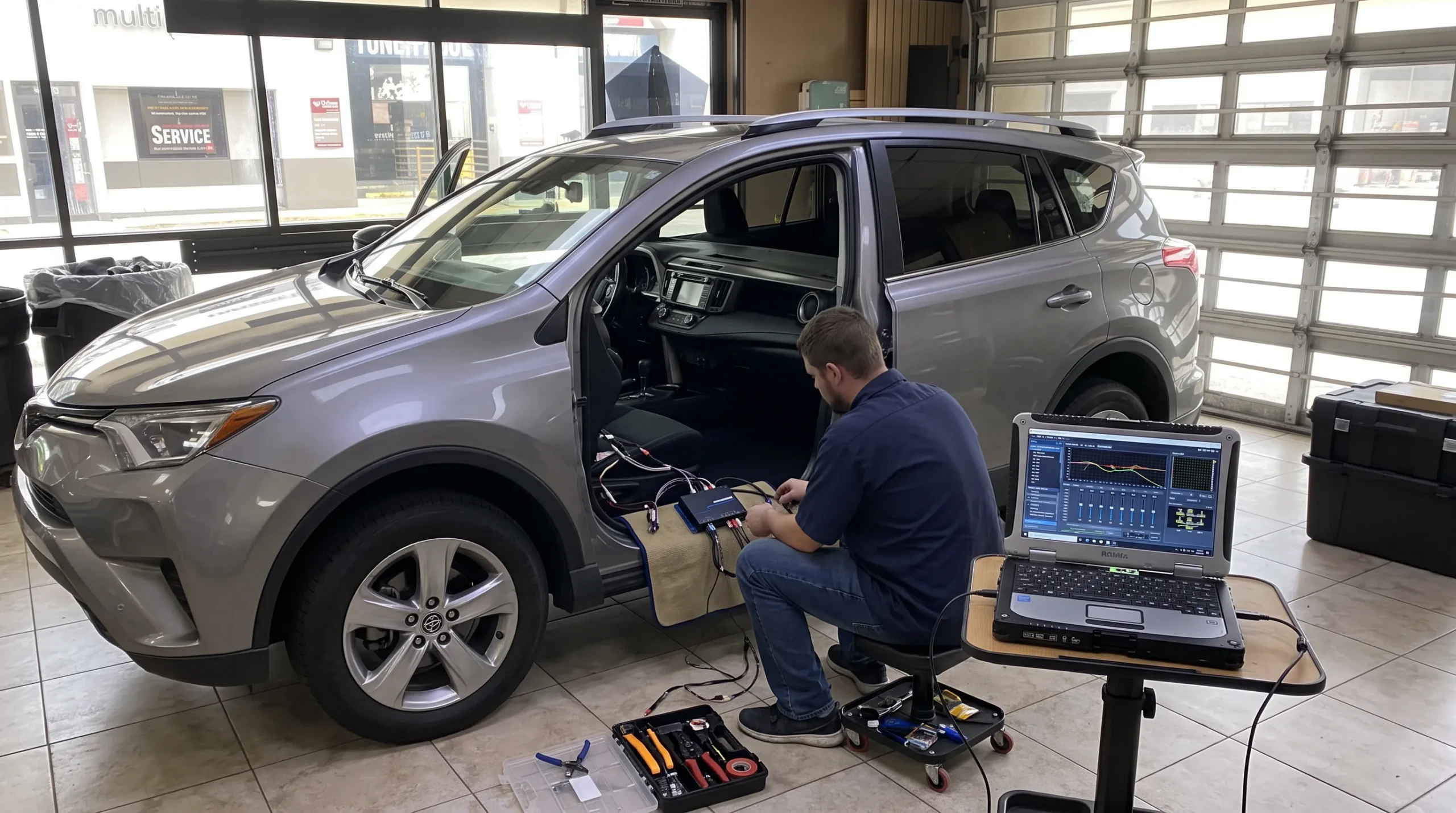
The installer checks the factory radio, amplifier arrangement, speakers, and available audio signals.
The vehicle’s year, make, model, and trim level matter.
Next comes deciding what the new system should do.
Are you adding bass?
Replacing door speakers?
Installing a multi-channel amplifier?
The answers help determine whether a line output converter or a full DSP is appropriate.
The factory signal may require high-level inputs, a vehicle-specific interface, or another supported connection method.
Some modern vehicles have factory amplifiers or digital audio systems that need special attention.
The installer chooses a suitable location for the processor and routes its wiring.
Connections should be secure and protected from damage.
Equipment must not interfere with seats, pedals, airbags, or other vehicle safety components.
The technician adjusts input levels and available processing functions.
For a full DSP, that may include crossovers, time alignment, EQ, channel routing, and other settings.
The finished system should be checked using the sources you actually use.
That may include radio, Bluetooth audio, smartphone playback, and other factory functions.
Audio Vision offers car audio installation and AudioControl equipment consultation from its Montclair, CA location.
AudioControl processors can be useful, but they aren’t a cure for every sound problem.
Sometimes a component needs repair or replacement before audio tuning makes sense.
A speaker with a torn cone, damaged voice coil, or other physical defect won’t be repaired by equalization.
The speaker should be inspected first.
Loose connections, damaged cables, and poor grounding can cause noise or intermittent audio.
Adding a processor without correcting those problems may make diagnosis more difficult.
A processor can’t fully restore detail that was lost in a heavily compressed recording or a signal that has already clipped.
The source should be checked before choosing processing settings.
If a factory amplifier is malfunctioning, a processor may not solve the underlying problem.
Some vehicles also depend on the factory amplifier for functions beyond music.
A poorly mounted speaker or unsuitable enclosure can affect sound.
Tuning may help with certain frequency problems, but mechanical installation issues need their own solution.
If your existing sound system has buzzing, distortion, intermittent audio, or another fault, start with car audio troubleshooting before adding equipment.
Audio Vision also offers car audio repair for related stereo and amplifier problems.
The best AudioControl processor is the one that fits the vehicle and the sound system you’re building.
A customer who only wants deeper bass may need different equipment from someone planning a complete speaker and amplifier upgrade.
| Your goal | Product type to discuss |
|---|---|
| Add a subwoofer while keeping the factory stereo | Compatible two-channel line output converter |
| Address factory bass roll-off | AccuBASS-equipped converter or processor |
| Connect to several factory speaker channels | Suitable multi-channel converter or DSP |
| Tune several speakers separately | Multi-channel DSP |
| Add amplifier power and detailed tuning | Compatible DSP amplifier |
| Fix buzzing, distortion, or intermittent sound | Diagnosis before choosing new equipment |
This is a starting guide, not a guarantee that a particular model fits every vehicle.
Before booking, ask:
A clear discussion can help you avoid choosing equipment that doesn’t address your actual complaint.
If you’re looking for AudioControl processors near Montclair, CA, Audio Vision provides car audio equipment and installation services from our Holt Boulevard shop.
We’ve served the local automotive community since 2006, helping customers upgrade their audio systems and select compatible components.
Our AudioControl brand page covers signal processors, equalizers, DSP amplifiers, and related audio equipment.
It also describes professional processor installation and tuning.
Customers can discuss products such as the DM-810 and other currently available AudioControl equipment.
You may want better sound without replacing the dashboard screen.
We can discuss car audio upgrades that retain compatible factory equipment.
Audio Vision also offers amplifiers, speakers, and subwoofers.
You can plan a processor installation alongside other audio upgrades when the equipment is compatible.
Audio Vision is physically located in Montclair, CA.
We welcome customers from Ontario, CA, Rancho Cucamonga, CA, Pomona, CA, Claremont, CA, Chino, CA, Chino Hills, CA, Upland, CA, and Fontana, CA.
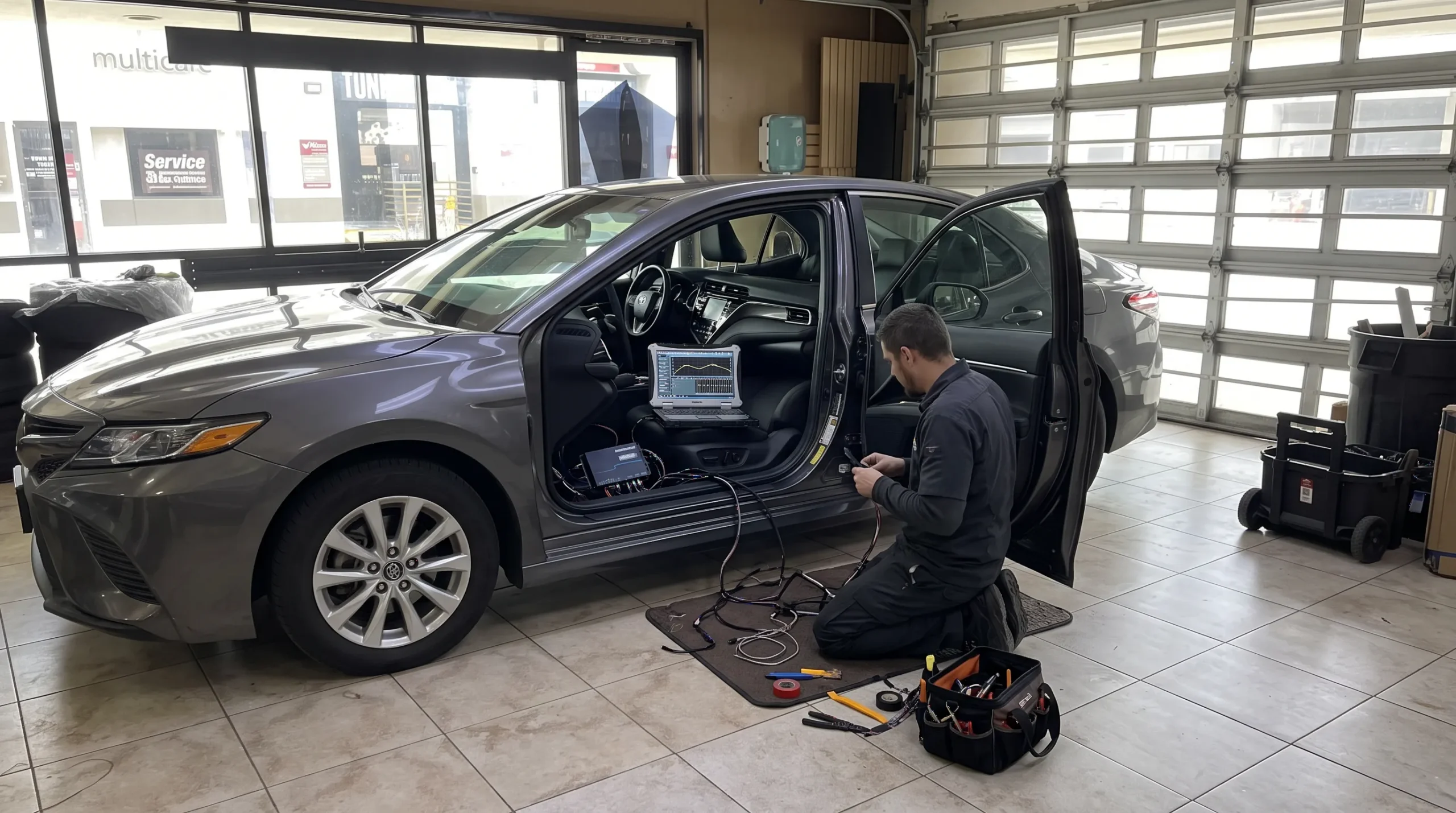
If you’re coming from another Inland Empire city, call before visiting to discuss your factory stereo, available AudioControl products, and appointment scheduling.
Yes. Compatible AudioControl processors can work with the audio signals from a factory stereo, allowing an installer to connect aftermarket amplifiers or tune the sound without removing the original head unit. The right product depends on your vehicle’s factory audio design and the changes you want. A line output converter may be suitable for adding a subwoofer, while a DSP provides more detailed tuning options.
The LC2i PRO is primarily a line output converter with AccuBASS processing. It helps connect compatible factory audio signals to aftermarket amplifiers, making it worth considering for a subwoofer upgrade. The DM-810 is a multi-channel digital signal processor that provides detailed equalization, crossovers, channel routing, time alignment, and other tuning functions. The better option depends on how many speakers and amplifiers you’re using.
Certain AudioControl products include AccuBASS, which is designed to compensate for bass roll-off found in some factory audio systems. This can help provide a more suitable low-frequency signal to a connected subwoofer amplifier. But a processor alone doesn’t replace the need for suitable speakers or amplifier power. The results also depend on the factory signal and proper adjustment.
A standalone DSP such as the DM-810 provides signal processing but doesn’t replace the power amplifier needed for passive speakers. You would generally use it with compatible amplifiers. AudioControl also offers amplifiers with built-in DSP, such as the D-5.1300, which combine processing and amplification. Ask the installer which configuration suits your factory stereo and speakers.
Many factory stereo upgrades can retain existing volume controls, steering wheel buttons, and other functions when properly planned. But compatibility depends on how the vehicle handles audio and other electronic features. Some factory amplifiers also manage volume, warning tones, and signal processing. A professional installer should check these functions before selecting an AudioControl processor or changing the original audio connections.
A full DSP can benefit considerably from professional setup because it allows detailed changes to equalization, time alignment, crossovers, and channel levels. Incorrect adjustments can make the sound worse or send unsuitable frequencies to speakers. Some simpler line output converters require fewer adjustments, but their signal and bass settings still need to be configured correctly. The tuning process should match the equipment and vehicle.
Audio Vision offers AudioControl equipment and professional car audio services at 5521 Holt Blvd, Montclair, CA 91763. The shop serves customers from Ontario, CA, Rancho Cucamonga, CA, Pomona, CA, Claremont, CA, Chino, CA, Chino Hills, CA, and nearby communities. Call (909) 983-4500 or visit the Audio Vision contact page to discuss compatibility and schedule an appointment.
You don’t always need a new dashboard stereo to enjoy better music in your car.
If your factory radio already has the features you want, an appropriate AudioControl processor may allow you to keep it while improving the sound system.
A line output converter could help with adding a subwoofer.
A multi-channel DSP can provide more control over speakers, frequency response, and timing.
A DSP amplifier may be worth discussing if you need both sound processing and additional amplifier power.
The right choice begins with understanding your vehicle’s factory audio system.
At Audio Vision, we’re available to help you review the options.
Business Name: Audio Vision
Address: 5521 Holt Blvd, Montclair, CA 91763
Phone: (909) 983-4500
Business Hours: Monday through Sunday, 9:00 AM to 7:00 PM
Website: https://audiovisionie.com
AudioControl Equipment: Explore AudioControl Processors and Amplifiers
Car Audio Services: View Car Audio Installation Options
Amplifier Installation: Explore Car Amplifiers
Audio Troubleshooting: Learn About Car Audio Diagnostics
Ready to improve your factory stereo?
Call (909) 983-4500 or visit our Contact Us page to schedule an appointment.
Tell us your vehicle’s year, make, model, and trim level. Let us know whether you want stronger bass, clearer vocals, better speaker balance, or a complete audio upgrade.
Our team can discuss compatible AudioControl equipment, available installation options, and the next steps for your sound system.
The following manufacturer documentation, technical support information, and Audio Vision service pages support this article’s discussion of factory stereo upgrades, signal processing, AudioControl products, and installation.
Publisher: AudioControl
Publication Date: Not specified on the referenced product page
URL: https://audiocontrol.com/products/dm-810-channel-dsp-matrix-processor
Manufacturer information about the DM-810’s eight inputs, ten outputs, signal summing, equalization, crossovers, time alignment, AccuBASS, and tuning software.
Publisher: AudioControl
Publication Date: Not specified on the referenced product page
URL: https://audiocontrol.com/products/lc2i-pro-2-channel-line-output-converter-accubass
Manufacturer specifications for factory speaker-level inputs, AccuBASS, load selection, automatic turn-on functions, and the ACR-1 remote.
Publisher: AudioControl
Publication Date: Not specified on the referenced product page
URL: https://audiocontrol.com/products/lc7i-6-channel-line-output-converter-accubass
Manufacturer information about six-channel input handling, factory audio signal conversion, summing, and bass correction.
Publisher: AudioControl
Publication Date: Not specified on the referenced product page
URL: https://audiocontrol.com/products/d-5-1300-high-power-5-channel-dsp-matrix-amplifier
Details about the combination of amplification and DSP functions, including equalization, crossovers, signal routing, and AccuBASS.
Publisher: AudioControl Technical Support
Publication Date: December 7, 2023
URL: https://audiocontrolmobile.zendesk.com/hc/en-us/articles/22055821574797-Can-I-bypass-my-factory-amp
Manufacturer guidance explaining why factory amplifiers in certain newer vehicles should not be bypassed when connecting AudioControl line output converters and DSP products.
Publisher: AudioControl
Publication Date: Not specified on the referenced page
URL: https://audiocontrol.com/collections/line-output-converters
Manufacturer explanation of line output conversion, factory speaker signal compatibility, and the role of converters in aftermarket amplifier installations.
Publisher: Audio Vision
Publication Date: Not specified on the referenced page
URL: https://audiovisionie.com/car-audio-brands/audio-control/
Audio Vision’s information about AudioControl DSPs, amplifiers, signal processors, and professional tuning services.
Publisher: Audio Vision
Publication Date: Not specified on the referenced page
URL: https://audiovisionie.com/services/car-audio/
Information about Audio Vision’s factory and aftermarket car audio installation services.
Publisher: Audio Vision
Publication Date: Not specified on the referenced page
URL: https://audiovisionie.com/services/car-amplifiers/
Information about amplifier selection, compatible factory stereo upgrades, installation, and sound adjustment.
Publisher: Audio Vision
Publication Date: Not specified on the referenced page
URL: https://audiovisionie.com/services/car-audio-troubleshooting/
Information about diagnosing sound problems, amplifier issues, wiring faults, and factory audio concerns.
Looking for the best car audio installation in Montclair, CA? Discover expert tips, top brands, and why Audio Vision is the go-to destination for high-quality car sound systems.
Product Brand: Audio Vision
Product Currency: USD
Product Price: 299
Product In-Stock: InStock

Acima, a flexible lease-to-own option that helps you get the car upgrades you love—without needing perfect credit. Whether you’re looking for car audio, video, security systems, window tint, wheels, auto lighting, or accessories, Acima makes it easy with no credit needed and convenient payment options. Get what you want today and pay over time, hassle-free!

Snap Finance is here to help you get the car audio, video, security, window tint, wheels, lighting, and accessories you need today. With Snap Finance, you can shop now and pay later, thanks to their flexible payment plans that consider more than just your credit score. Applying is fast and easy, and you’ll receive a decision in seconds. Take advantage of stress-free payment options that fit your payday schedule, so you can upgrade your ride without the wait!
Explore the many services we offer by clicking the boxes below


|
|
|
|
|
|
|
|
|
|
|
|
|
|
|
|
AudioControl Processors: Better Sound Without Replacing Your Factory Stereo
|
AudioControl Processors: Better Sound Without Replacing Your Factory Stereo
|
AudioControl Processors: Better Sound Without Replacing Your Factory Stereo
|
AudioControl Processors: Better Sound Without Replacing Your Factory Stereo
|
|
|
|
|
|
|
|
|
|
|
|
|
|
|
|
|
|
|
|
|
|
|
|
|
|
|
|
|
|
|