
Looking for the best car audio installation in Montclair, CA? Discover expert tips, top brands, and why Audio Vision is the go-to destination for high-quality car sound systems.
Product Brand: Audio Vision
Product Currency: USD
Product Price: 299
Product In-Stock: InStock
Dash cam installation near me is worth considering when you want more than a camera hanging from a windshield with a power cord running across the dashboard. A properly planned installation can hide most of the wiring, position the camera for a useful view, connect compatible equipment for parking recording, and protect the vehicle battery with the correct power setup.
Dash cams have also become more capable. Depending on the model, a system may record from the front and rear, save footage after an impact, monitor the vehicle while parked, connect to a phone, or use GPS data.
The way the camera is installed affects how well those features work.
At Audio Vision in Montclair, CA, drivers can discuss vehicle electronics and related equipment with a shop that has served the Inland Empire since 2006. Audio Vision also works with car security systems, GPS tracking systems, and backup camera systems.
If you are searching for dash cam installation near me, here is what to know about hardwiring, parking mode, battery protection, camera placement, and cable routing before choosing an installation.
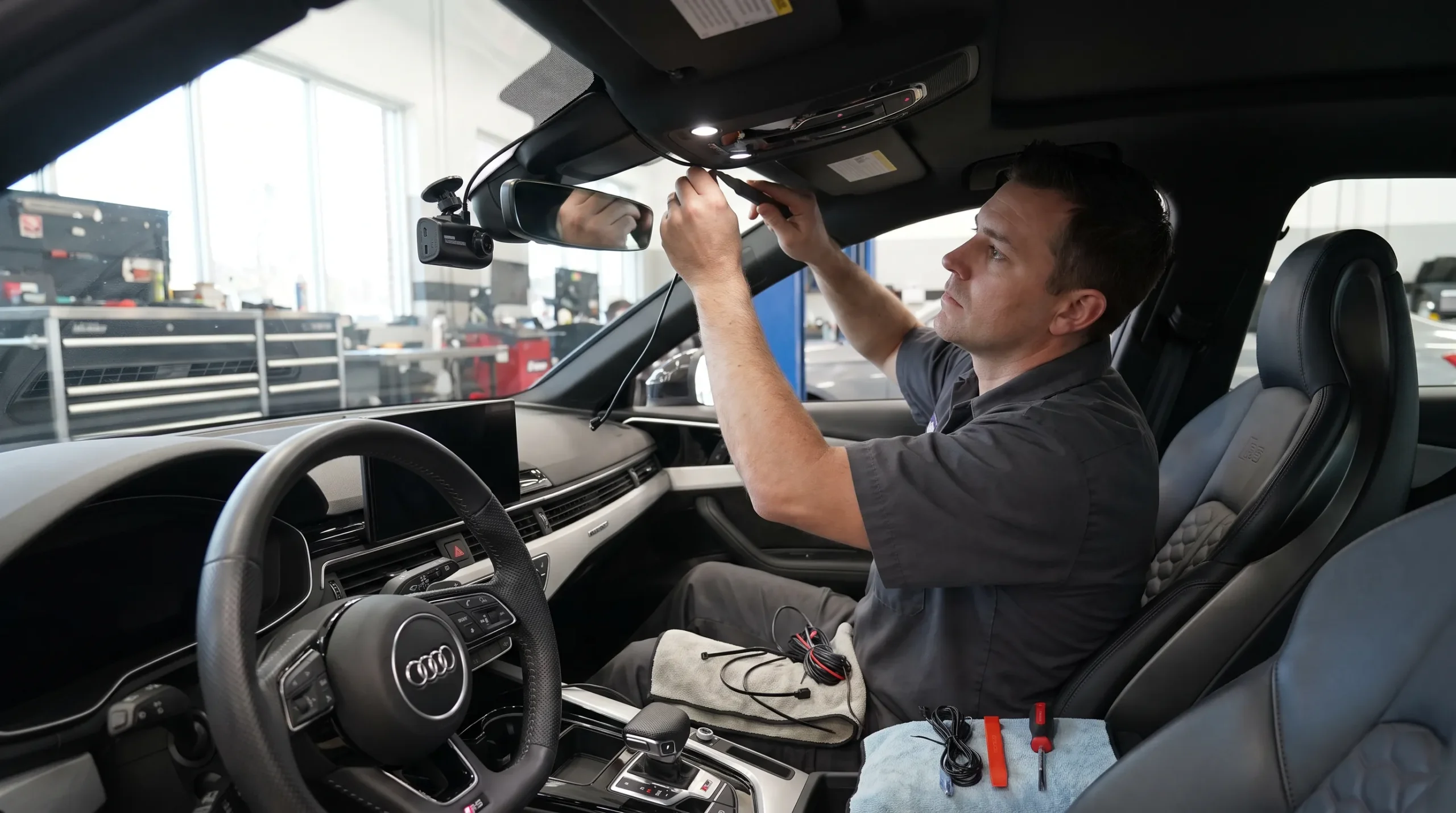
Professional dash cam installation near me can involve much more than attaching a camera to the glass.
The exact work depends on the camera and vehicle, but installation may involve:
The goal is a camera that records the area you need without leaving unnecessary wiring across the dashboard.
That becomes even more useful when the camera uses parking surveillance.
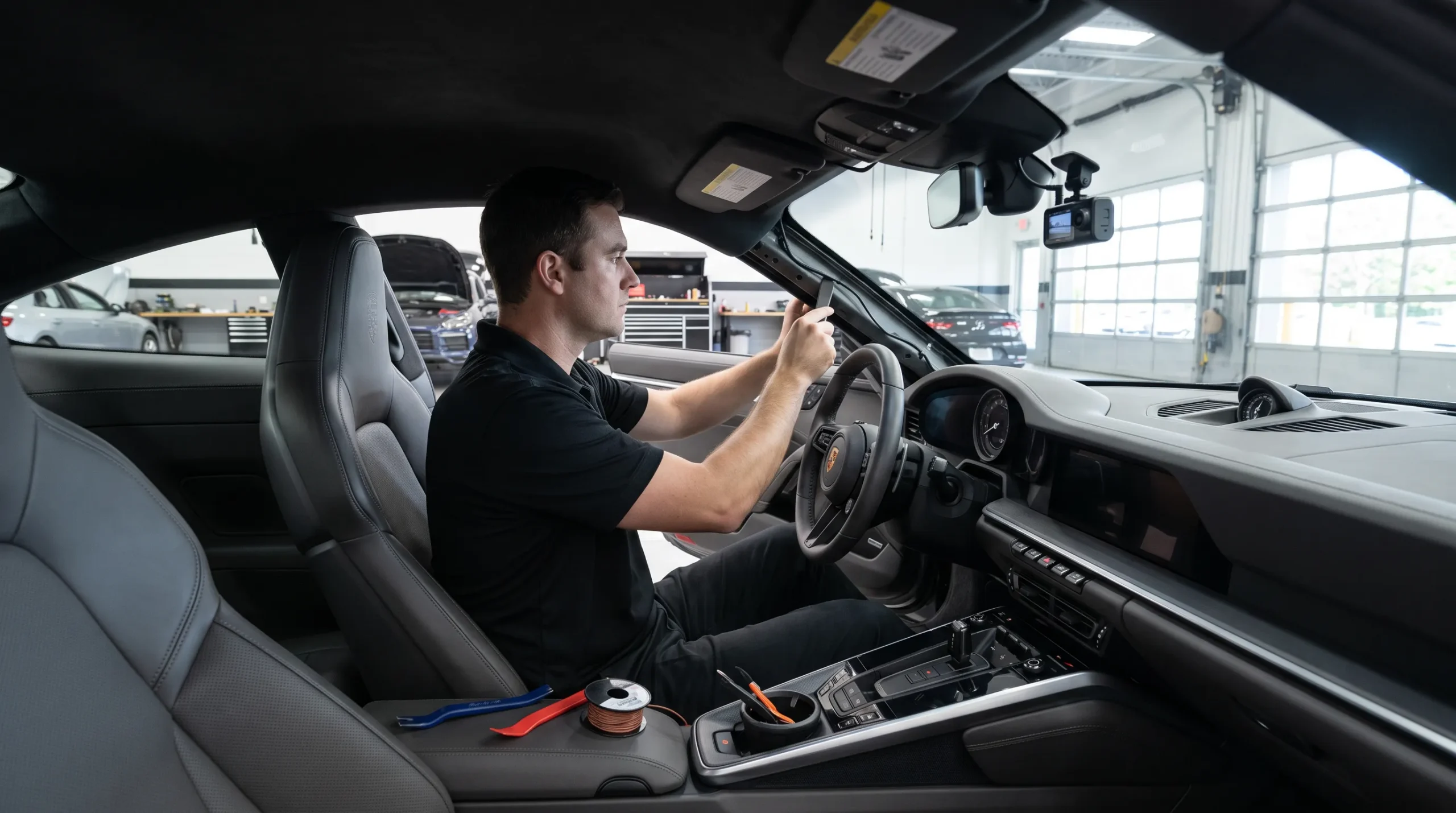
A dash cam powered only from an accessory outlet may lose power as soon as the vehicle is turned off. A properly supported parking setup can operate differently.
Many dash cams include a power cord that connects to a 12-volt accessory socket or another vehicle power port.
That can be enough for normal driving recording.
The downside is cable routing.
A plug-in cable may run from the windshield to the center console or lower dashboard. It can also occupy a power outlet you use for another accessory.
Hardwiring moves the power connection out of sight.
A compatible hardwire cable normally connects through the vehicle electrical system and routes behind interior panels before reaching the camera.
Thinkware states that its hardwiring cable connects to the vehicle fuse panel and can allow supported cameras to use Parking Surveillance Mode. See the Thinkware hardwiring guide.
BlackVue also supports hardwired parking operation on compatible cameras. Its current documentation explains that supported models can detect when the ignition is turned off and move into Parking Mode when connected with the proper hardwire setup. See BlackVue Parking Mode information.
If parking surveillance matters to you, mention it when searching for dash cam installation near me.
A common dash cam hardwire setup needs three electrical connections.
This circuit remains powered when the ignition is off.
It can supply energy to the camera during supported parking operation.
This circuit changes state when the vehicle is turned on or off.
Compatible cameras can use that signal to determine whether the vehicle is being driven or parked.
The electrical circuit also needs a proper ground connection.
Thinkware’s installation documentation describes a setup using constant battery power, accessory power, and ground for parking surveillance.
The correct circuits should be identified for the particular vehicle.
This is one reason professional dash cam installation near me can make sense. Modern fuse panels may control many vehicle systems, and the installer should determine which connection points are suitable rather than selecting a fuse position at random.
The camera needs to know when the car is parked if you want automatic parking surveillance.
Thinkware explains that when its compatible hardwired dash cameras detect the loss of accessory power after the ignition is switched off, the unit can automatically move into Parking Mode.
BlackVue uses a similar approach on compatible hardwired systems.
This gives the dash cam two operating conditions.
While you are driving, it records in its normal mode.
When you park and turn the vehicle off, it can enter its supported parking mode.
Without the correct connection, a dash cam may shut down with the vehicle or fail to change modes properly.
That distinction is one of the main reasons customers look for professional dash cam installation near me instead of relying only on the included accessory cord.
Parking mode allows a compatible dash cam to continue monitoring after the ignition has been switched off.
Thinkware says its Parking Surveillance Mode can continue recording while the vehicle is parked when the camera is powered through compatible hardwiring, OBD-II power, or a supported battery pack. See Thinkware Parking Mode instructions.
BlackVue also offers parking recording methods on compatible cameras.
The exact behavior depends on the model.
A parking setup may record:
Do not assume every dash cam uses the same parking method.
Check the functions of the camera you are considering before installation.
Parking recording creates an obvious question.
What prevents the dash cam from draining the vehicle battery?
Some compatible systems use low-voltage protection.
BlackVue states that supported cameras with built-in voltage monitoring can shut down after the vehicle battery reaches a selected cutoff level. Its current manuals describe both voltage cutoff and timer functions for supported hardwired models. See the BlackVue installation guide.
This feature matters because parking mode is drawing power while the engine is not running.
The amount of available parking time can vary with:
Battery protection should be configured according to the camera, vehicle, and manufacturer’s instructions.
A low-voltage cutoff does not turn the car battery into an unlimited power supply. It gives a supported system a stopping point.
Parking mode is not one single recording style.
Compatible dash cams can use different methods.
The camera monitors its field of view and can save footage when supported motion detection is triggered.
BlackVue describes motion-detection parking recording on compatible cameras as buffered recording that saves a parking file when motion appears within the camera’s field of view.
The camera can save footage after its G-sensor detects an impact.
This can be useful if another vehicle contacts your parked car.
Some dash cams can record parking footage at a reduced frame rate.
This can cover longer periods differently from continuous normal-speed recording.
Some newer cameras use a low-power state intended to extend monitoring time.
Thinkware lists low-power parking functions on current cameras such as the U3000 PRO.
When comparing dash cam installation near me, decide which parking function you actually want before deciding how the camera should be powered.
Camera placement should balance recording quality, driver visibility, legal requirements, and cable routing.
Garmin’s current dash cam documentation allows supported cameras to be configured for left, center, or right windshield placement. The manufacturer’s mounting guidance also tells users to consider windshield location when installing the camera. See Garmin Dash Cam mounting guidance.
In many installations, the upper area near the rearview mirror can provide a useful forward view while keeping the camera away from much of the driver’s normal sight line.
The camera lens still needs an unobstructed view.
Things that can interfere include:
The installer also needs room to remove the memory card and operate buttons when the camera design requires it.
Because Audio Vision is in Montclair, CA, windshield placement deserves attention.
California Vehicle Code Section 26708 generally restricts objects that obstruct or reduce the driver’s clear view through the windshield.
The same section includes a provision for certain video event recorders. Under the current California statute, a qualifying recorder may be mounted within a seven-inch square in the lower windshield corner farthest from the driver, a five-inch square in the lower corner nearest the driver outside an airbag zone, or a five-inch square at the upper center of the windshield.
The statute also includes requirements tied to the definition and use of a qualifying video event recorder.
Read the current language directly in California Vehicle Code Section 26708 before choosing a mounting location.
Not every consumer dash cam necessarily fits every part of the statute’s definition.
For that reason, an installer should avoid placing a camera where it blocks the driver’s view simply because another vehicle has a camera mounted there.
A two-channel system adds a second camera facing rearward.
On many passenger vehicles, the rear camera attaches to the inside of the rear glass.
The camera needs a view through the window without being blocked by:
Vehicles with liftgates can require more cable-routing work because the cable has to reach a door that moves.
SUVs, hatchbacks, crossovers, and vans may have factory wiring boots between the body and liftgate. Cable routing around these areas should allow the hatch to open normally without pinching or pulling the camera cable.
A rear camera can make dash cam installation near me a more involved job than a front-only installation.
The dash cam may have a clear view while the windshield is clean and dry.
Rain can change that.
Garmin recommends checking that the windshield wipers clear the area in front of a dash camera on supported equipment.
This is easy to overlook when placing the camera high on the windshield.
If the lens looks through an area the wipers do not clean, water and dirt can reduce the usefulness of the video.
The same idea applies to a rear camera on a vehicle with a rear wiper.
Before finalizing dash cam installation near me, check what the camera actually sees through the glass during normal vehicle use.
A clean installation usually routes the power wire from the camera toward the edge of the headliner and down toward the vehicle power connection.
A rear camera adds another cable from the front camera area toward the rear of the vehicle.
The exact route changes by vehicle.
Possible areas include:
The goal is to secure the cable without leaving loose sections hanging into the cabin.
Care also needs to be taken around moving trim, sharp edges, and vehicle safety equipment.
This is where dash cam installation near me is about more than appearance.
A wire should not be stuffed behind a panel without knowing what is behind that panel.
Many modern vehicles have side curtain airbags running along the roof edge and pillar areas.
Dash cam wiring frequently travels through the same general part of the vehicle.
The cable should not be routed in a way that interferes with airbag deployment.
Before tucking wiring behind an A-pillar panel or headliner edge, the installer needs to know the vehicle layout and choose a route that keeps the cable away from the airbag’s deployment path.
The same applies to other safety equipment and factory wiring.
This is one of the strongest reasons to avoid pushing a power cable blindly behind the first trim panel that comes loose.
Professional dash cam installation near me should account for the vehicle surrounding the camera, not only the camera itself.
A single-channel dash cam records one direction, usually forward.
A dual-channel system commonly uses:
A front camera can record what happens ahead of the vehicle.
A rear camera can add footage of activity behind it.
Dual-channel systems require additional wiring between the front and rear cameras.
They can also use more power and storage than a single-camera setup, depending on equipment and recording settings.
When selecting dash cam installation near me, decide whether front-only footage meets your needs or whether rear coverage is worth the additional installation.
Three-channel systems add another camera.
A common arrangement includes:
An interior camera can be useful for certain drivers who want cabin footage.
This may include rideshare, fleet, or other vehicle uses where interior recording is desired.
Recording people inside a vehicle can raise privacy and notice questions.
California Vehicle Code Section 26708 contains a passenger-notice requirement for the specific video event recorders covered by that provision when passenger conversations may be recorded.
Audio recording can also raise separate privacy issues depending on how and where recording occurs.
If your system records the cabin or audio, review the applicable requirements before using those functions.
Not every installation needs a dedicated dash cam battery.
Some supported cameras can use vehicle-battery power with a low-voltage cutoff.
Another option is a battery pack made for dash cam parking operation.
Thinkware lists its iVolt battery equipment as one way compatible cameras can receive parking-mode power.
BlackVue also supports separate battery-pack arrangements with selected systems.
A dedicated battery pack may be worth discussing when you want extended parking surveillance while reducing the amount of time the camera draws directly from the vehicle’s starter battery.
The right choice depends on:
Tell the installer how long the vehicle commonly sits between trips.
That information is more useful than simply asking for the longest possible parking mode.
The work involved with dash cam installation near me can change from one vehicle and camera system to another.
Audio Vision can discuss your particular setup rather than relying on one number that may not fit the job.
Factors can include:
A front-only camera needs less routing than a front-and-rear or three-camera system.
Parking-mode wiring requires a different setup from plugging a camera into an accessory socket.
A sedan, coupe, SUV, truck, hatchback, and van can require different rear-camera cable routes.
Running a cable through a moving rear hatch can add installation steps.
A compatible low-voltage module or built-in camera protection needs to be configured correctly.
Adding parking-mode battery equipment changes the installation.
Aftermarket alarms, remote starts, GPS equipment, or other accessories may affect how the electrical system should be approached.
Large factory sensor housings, windshield electronics, tint, or unusual windshield shapes can change mounting options.
For information based on your vehicle and dash cam, call Audio Vision at (909) 983-4500 or use the Audio Vision contact page.
Drivers searching for dash cam installation near me in Montclair, CA can contact Audio Vision at 5521 Holt Blvd, Montclair, CA 91763.
Audio Vision also serves vehicle owners from nearby Ontario, CA and Rancho Cucamonga, CA.
One driver may want a discreet front camera with most of the power cable hidden.
Another may want front and rear recording.
Someone who parks outside overnight may be more interested in hardwired parking mode and battery protection.
Another customer may already have car security or GPS tracking equipment and want the dash camera planned around existing electronics.
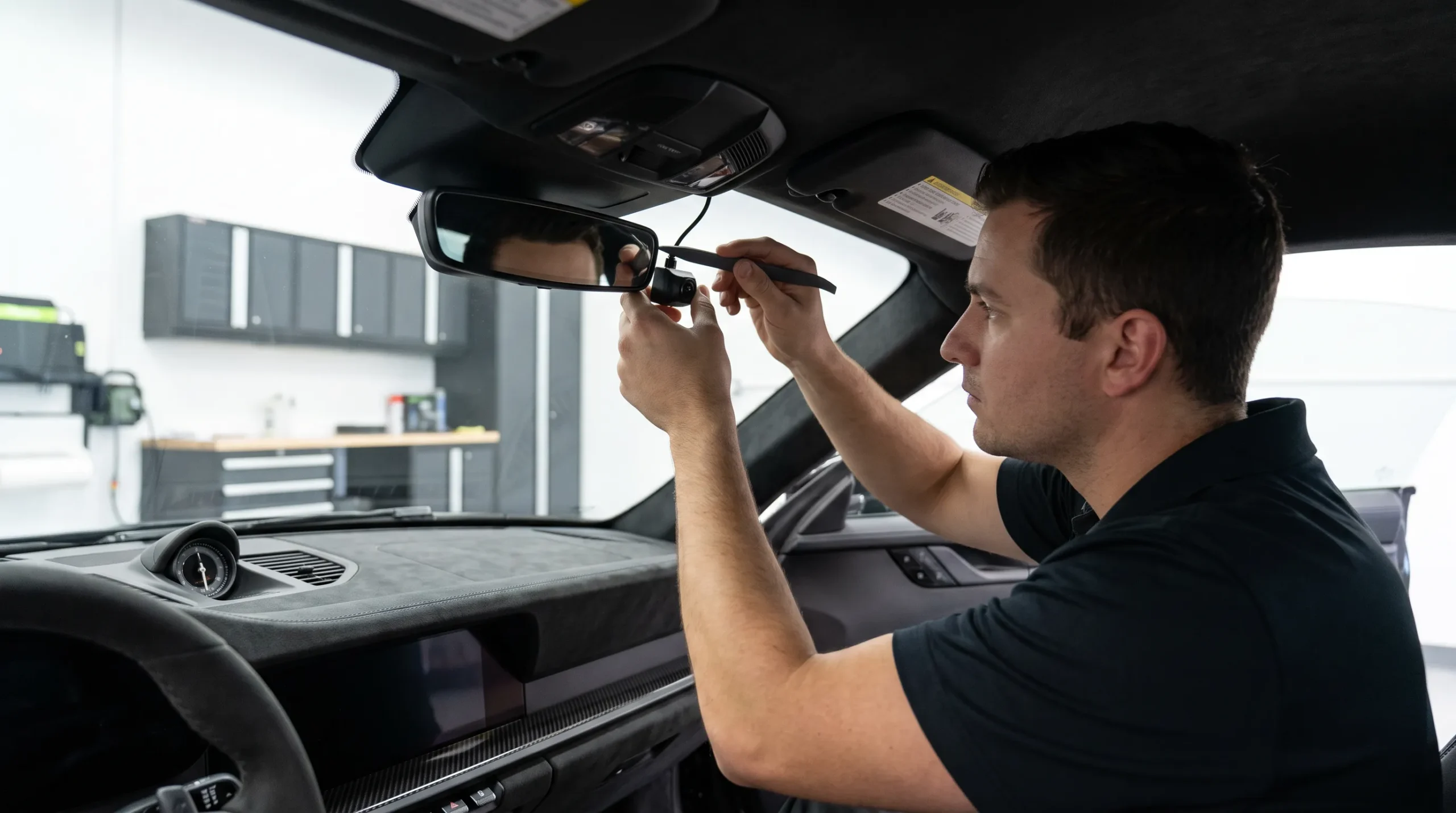
Audio Vision has served the Inland Empire since 2006 and works with vehicle electronics, security equipment, cameras, and related installation work.
If you are looking for dash cam installation near me, have your vehicle and camera information ready before contacting the shop.
Provide:
Tell Audio Vision what you want from the system.
Do you mainly want recording while driving?
Do you want parking surveillance?
Do you want a rear camera?
Do you want most visible wiring hidden?
Does the vehicle sit parked for long periods?
These details help determine the installation approach.
Audio Vision
5521 Holt Blvd
Montclair, CA 91763
Phone: (909) 983-4500
Hours: Monday through Sunday, 9 a.m. to 7 p.m.
Call (909) 983-4500 or contact Audio Vision online to discuss your dash cam and vehicle.
Hardwired dash cam installation near me connects a compatible camera through the vehicle electrical system instead of leaving it connected only to a visible accessory socket. Supported hardwire setups can use constant power, accessory power, and ground to allow automatic parking-mode operation.
Many cameras require hardwiring, a supported OBD-II power cable, or a dedicated dash cam battery pack for full parking surveillance. Thinkware states that compatible Parking Surveillance Mode can use these power methods. Check the requirements for your exact camera.
Parking mode consumes power. Compatible systems may use low-voltage cutoff settings to shut the camera down before the vehicle battery falls below a selected level. Available recording time still depends on battery condition, camera consumption, settings, weather, and how frequently the vehicle is driven.
California Vehicle Code Section 26708 limits windshield obstructions and provides defined mounting areas for qualifying video event recorders. The statute includes certain lower-corner locations and a five-inch-square area at the upper center of the windshield. Check the current law and whether your equipment falls within its definition before choosing a location.
A rear dash cam is commonly attached to the inside of the rear glass where it has a useful view behind the vehicle. Placement should account for rear trim, defroster lines, spoilers, rear wipers, shades, and liftgate movement.
Poorly routed wiring can enter areas used by side curtain airbags. Cables running near A-pillars and headliner edges should be placed so they do not obstruct the airbag deployment path or other safety equipment.
Audio Vision is located at 5521 Holt Blvd, Montclair, CA 91763. The shop also works with car security systems, GPS tracking systems, and backup cameras. Call (909) 983-4500 or use the Audio Vision contact page to discuss your vehicle and camera.
Looking for the best car audio installation in Montclair, CA? Discover expert tips, top brands, and why Audio Vision is the go-to destination for high-quality car sound systems.
Product Brand: Audio Vision
Product Currency: USD
Product Price: 299
Product In-Stock: InStock

Acima, a flexible lease-to-own option that helps you get the car upgrades you love—without needing perfect credit. Whether you’re looking for car audio, video, security systems, window tint, wheels, auto lighting, or accessories, Acima makes it easy with no credit needed and convenient payment options. Get what you want today and pay over time, hassle-free!

Snap Finance is here to help you get the car audio, video, security, window tint, wheels, lighting, and accessories you need today. With Snap Finance, you can shop now and pay later, thanks to their flexible payment plans that consider more than just your credit score. Applying is fast and easy, and you’ll receive a decision in seconds. Take advantage of stress-free payment options that fit your payday schedule, so you can upgrade your ride without the wait!
Explore the many services we offer by clicking the boxes below


|
|
|
|
|
|
|
|
|
|
|
|
|
|
|
|
Dash Cam Installation Near Me: Hardwiring, Parking Mode & Placement
|
Dash Cam Installation Near Me: Hardwiring, Parking Mode & Placement
|
Dash Cam Installation Near Me: Hardwiring, Parking Mode & Placement
|
Dash Cam Installation Near Me: Hardwiring, Parking Mode & Placement
|
|
|
|
|
|
|
|
|
|
|
|
|
|
|
|
|
|
|
|
|
|
|
|
|
|
|