


Looking for the best car audio installation in Montclair, CA? Discover expert tips, top brands, and why Audio Vision is the go-to destination for high-quality car sound systems.
Product Brand: Audio Vision
Product Currency: USD
Product Price: 299
Product In-Stock: InStock
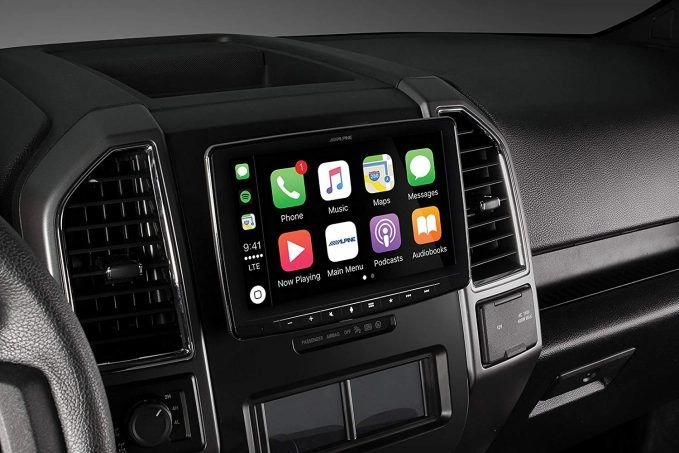
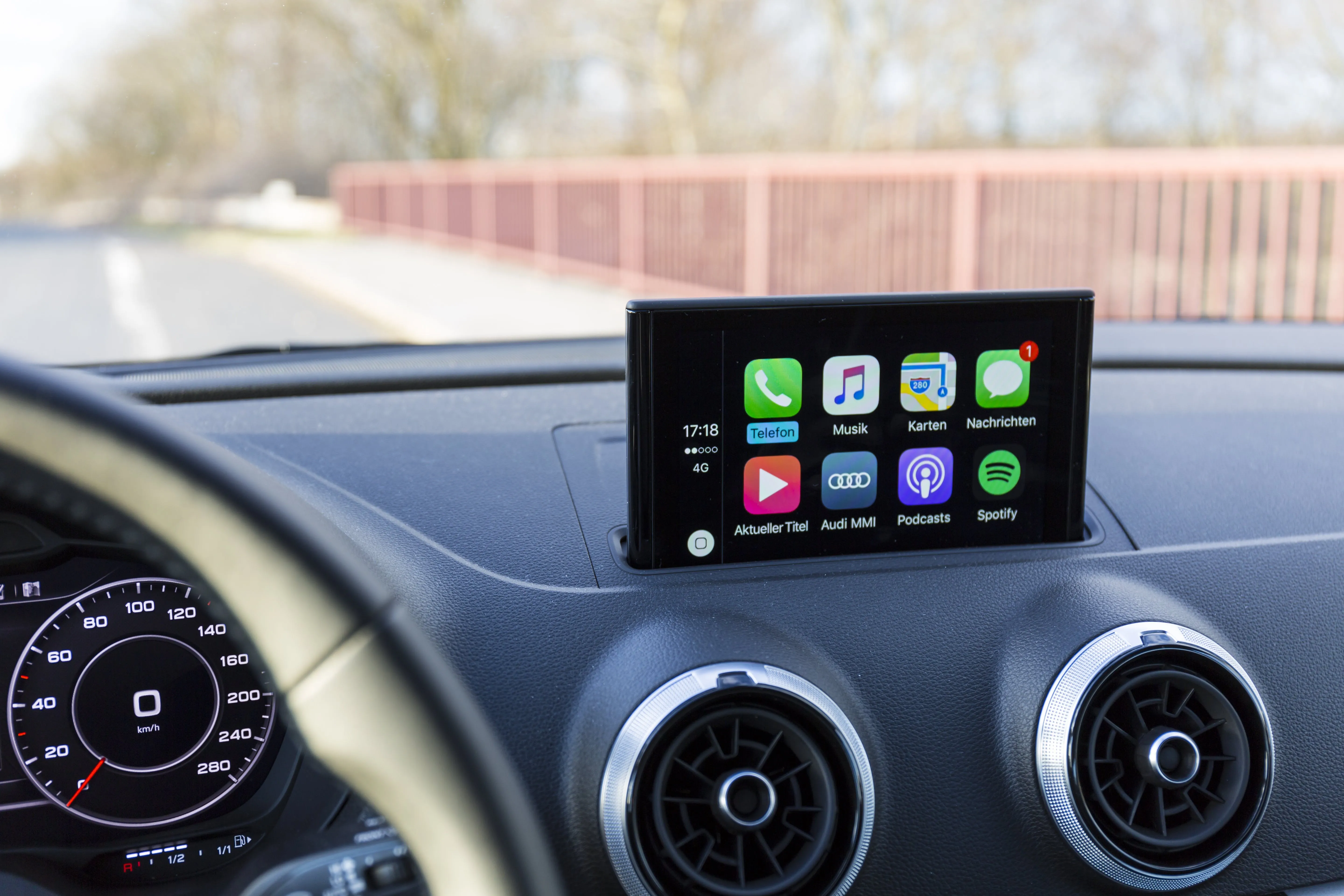
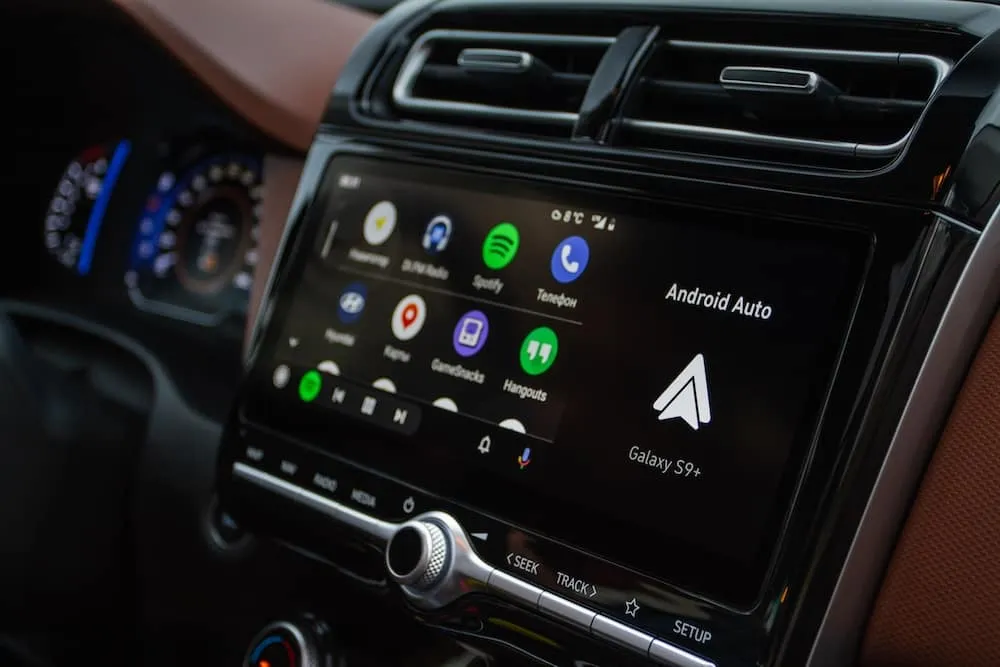
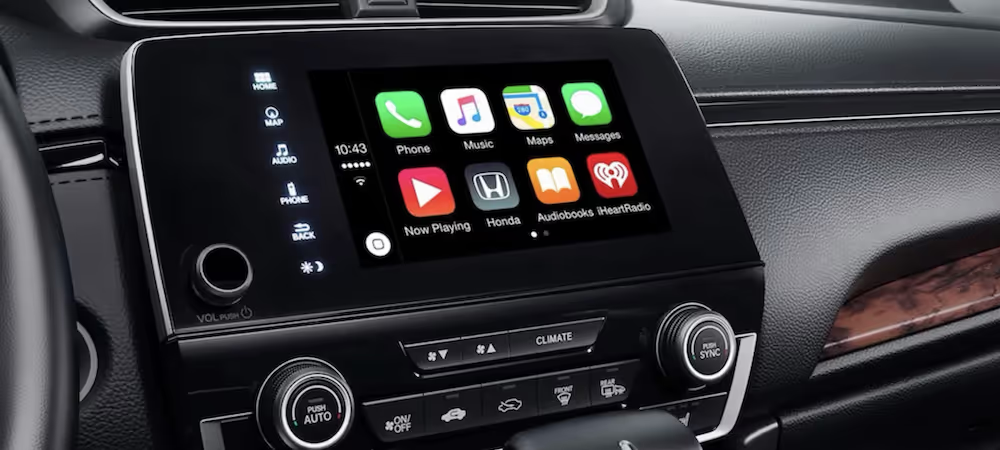
Apple CarPlay and Android Auto allow you to seamlessly integrate your smartphone with your car’s infotainment system, making it easier to access navigation, music, calls, and voice commands while driving.
🔹 Benefits of Apple CarPlay & Android Auto:
✔ Hands-free calling and messaging
✔ GPS navigation using Apple Maps, Google Maps, or Waze
✔ Voice control via Siri or Google Assistant
✔ Access to Spotify, Apple Music, YouTube Music, and more
✔ Wireless or wired connection options
📞 Need Apple CarPlay or Android Auto installed in your car? Call us at (909) 983-4500 for professional setup in Upland, CA!
Before setting up Apple CarPlay or Android Auto, ensure you have the right equipment.
✅ A Compatible Vehicle or Aftermarket Stereo – Check if your car already supports CarPlay/Android Auto or needs an aftermarket head unit.
✅ An iPhone (for CarPlay) or Android Phone (for Android Auto) – Apple CarPlay requires iOS 7.1 or later, while Android Auto requires Android 6.0 or later.
✅ A USB Cable (for Wired Connection) – Some cars support wireless CarPlay/Android Auto, but a high-quality USB cable is recommended for stability.
✅ Bluetooth & WiFi Enabled (for Wireless Setup) – Wireless CarPlay and Android Auto require both WiFi and Bluetooth enabled on your smartphone.
📞 Not sure if your car supports CarPlay or Android Auto? Call us for a compatibility check!
1️⃣ Turn on your vehicle and ensure your infotainment system is on.
2️⃣ Connect your iPhone via USB cable (or pair wirelessly if supported).
3️⃣ A “CarPlay Available” message should appear—tap to enable CarPlay.
4️⃣ Allow permissions on your iPhone when prompted.
5️⃣ Use Siri or your infotainment screen to access apps like Maps, Music, and Calls.
1️⃣ Turn on your vehicle and ensure your infotainment system is on.
2️⃣ Connect your Android phone via USB cable (or pair wirelessly if supported).
3️⃣ If prompted, download the Android Auto app from the Google Play Store.
4️⃣ Allow permissions for messages, calls, and navigation.
5️⃣ Use Google Assistant or touchscreen controls to access apps.
📞 Need help setting up Apple CarPlay or Android Auto? Call us for professional installation!
If you’re experiencing connectivity issues, try these quick fixes.
🔹 Apple CarPlay Not Working?
✔ Check if CarPlay is enabled in Settings > General > CarPlay
✔ Use a certified Apple Lightning cable
✔ Restart your iPhone and car’s infotainment system
🔹 Android Auto Not Connecting?
✔ Make sure your phone has the latest Android Auto app installed
✔ Enable Developer Mode > USB Debugging in Android settings
✔ Restart your phone and car’s infotainment system
🔹 Wireless CarPlay or Android Auto Issues?
✔ Ensure WiFi and Bluetooth are enabled on your phone
✔ Forget the connection and re-pair your phone
✔ Check for firmware updates on your infotainment system
📞 Still having trouble? Call us for professional troubleshooting!
For expert Apple CarPlay and Android Auto installation in Upland, CA, Audio Vision is your trusted car tech specialist.
✔ Certified Car Audio Technicians – Experts in CarPlay & Android Auto setup for all vehicles
✔ High-End Aftermarket Stereos – Kenwood, Pioneer, Alpine, Sony, and more
✔ Custom Installations – Factory-look integration & seamless wiring
✔ Affordable Pricing & Financing Available – Check our latest deals!
📍 Visit us at 5521 Holt Blvd, Montclair, CA
📞 Call (909) 983-4500 to book your CarPlay or Android Auto installation today!
Installation costs range from $150 to $600, depending on your car’s compatibility and stereo type.
Yes! We install aftermarket head units that add CarPlay & Android Auto to any vehicle.
If your car supports wireless CarPlay/Android Auto, you don’t need a cable. Otherwise, a USB cable is required.
Try restarting your phone, checking your USB cable, and ensuring CarPlay or Android Auto is enabled in settings.
Yes! Most installations allow you to use steering wheel buttons and factory controls seamlessly.
🚗 Upgrade your car with Apple CarPlay or Android Auto today! Visit Audio Vision or call (909) 983-4500 for expert installation in Upland, CA! 🔊📱🚘
Looking for the best car audio installation in Montclair, CA? Discover expert tips, top brands, and why Audio Vision is the go-to destination for high-quality car sound systems.
Product Brand: Audio Vision
Product Currency: USD
Product Price: 299
Product In-Stock: InStock

Acima, a flexible lease-to-own option that helps you get the car upgrades you love—without needing perfect credit. Whether you’re looking for car audio, video, security systems, window tint, wheels, auto lighting, or accessories, Acima makes it easy with no credit needed and convenient payment options. Get what you want today and pay over time, hassle-free!

Snap Finance is here to help you get the car audio, video, security, window tint, wheels, lighting, and accessories you need today. With Snap Finance, you can shop now and pay later, thanks to their flexible payment plans that consider more than just your credit score. Applying is fast and easy, and you’ll receive a decision in seconds. Take advantage of stress-free payment options that fit your payday schedule, so you can upgrade your ride without the wait!
Explore the many services we offer by clicking the boxes below


|
|
|
|
|
|
|
|
|
|
|
|
|
|
|
|
Apple CarPlay and Android Auto Setup in Upland, CA: Step-by-Step
|
Apple CarPlay and Android Auto Setup in Upland, CA: Step-by-Step
|
Apple CarPlay and Android Auto Setup in Upland, CA: Step-by-Step
|
Apple CarPlay and Android Auto Setup in Upland, CA: Step-by-Step
|
|
|
|
|
|
|
|
|
|
|
|
|
|
|
|
|
|
|
|
|
|
|
|
|
|
|